

Key Highlights
- SowFlow simplifies the creation and management of Standard Operating Procedures (SOPs), improving knowledge management and productivity.
- Camtasia offers user-friendly video editing for high-quality screencasts, featuring multi-track editing and interactive quizzes.
- OBS Studio is a free, open-source tool for screen recording and live streaming, known for its flexibility and high-quality output.
- Loom enhances team communication through asynchronous video messaging, allowing for effective collaboration across time zones.
- ScreenPal provides a budget-friendly recording solution with basic editing tools, ideal for instructional content and presentations.
- Movavi Screen Recorder is user-friendly, allowing easy recording of webinars and meetings with options for annotations and effects.
- Screencast-O-Matic offers comprehensive features for educators and professionals, including cloud hosting and editing capabilities.
- Snagit specialises in powerful screen capture and editing, facilitating clear documentation and knowledge transfer.
- Apowersoft Screen Recorder enables real-time annotation and easy sharing, making it suitable for detailed tutorials.
- ScreenFlow is designed for Mac users, featuring advanced editing tools that enhance video quality and effectiveness in training.
Introduction
In a world where visual communication is key, you might be wondering why effective screencasting software is suddenly in such high demand. Well, it’s transforming how teams document processes and share knowledge! This article dives into the top ten screencasting tools that not only make documentation a breeze but also boost collaboration and training efficiency across various organizations.
But with so many options out there, how do you figure out which software is the right fit for you? By exploring the features and benefits of these tools, you might just find the perfect solution to elevate productivity and engagement in your workplace. So, let’s get started!
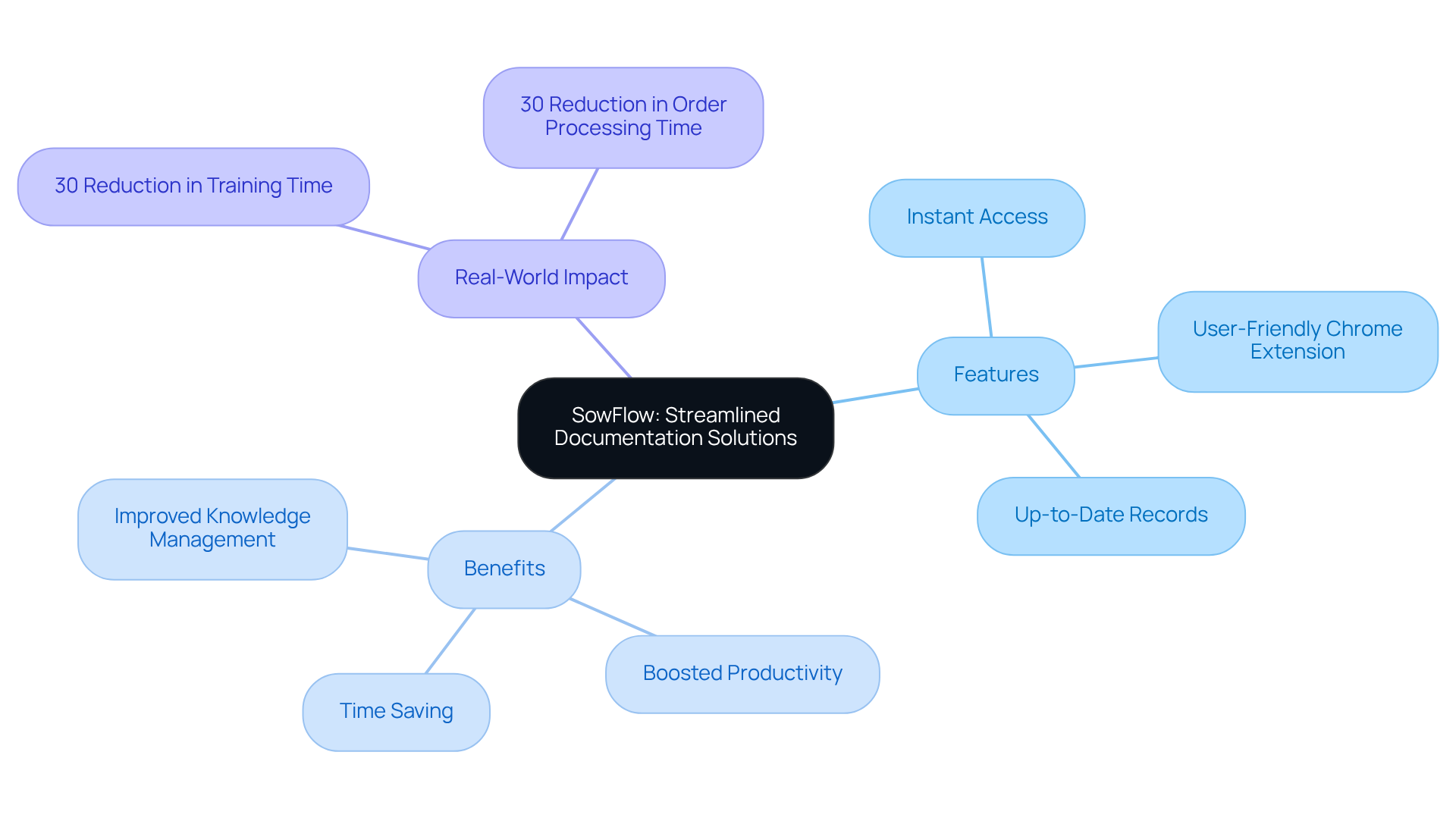
SowFlow: Streamlined Documentation Solutions for Instant SOP Creation
You might be wondering how to make creating and managing a breeze. Well, let me introduce you to SowFlow! This nifty tool is designed to simplify the whole process, allowing you to whip up thorough in no time. Imagine your team having instant access to vital resources—no more scrambling around for information!
With just a single command, you can pull up the knowledge from your records, which means fewer unnecessary meetings and a smoother workflow. Plus, SowFlow’s lets you directly from your browser. This way, your records stay relevant and up-to-date, making life a whole lot easier.
Now, who doesn’t want to save time and ? This often tied to traditional record-keeping methods. With SowFlow, updating and revising your records is a walk in the park, helping you maintain and improve effectively.
And here’s a fun fact: companies that adopt solid record-keeping practices can ! That means your teams can onboard new employees faster and more efficiently. Take a retail company, for example; after implementing process mapping, they saw a whopping 30% reduction in order processing time. Pretty impressive, right? By using SowFlow, organizations can tackle these challenges head-on, fostering a culture of collaboration and continuous improvement. So, are you ready to dive into a more efficient way of working?
Camtasia: Professional Video Editing for High-Quality Screencasts
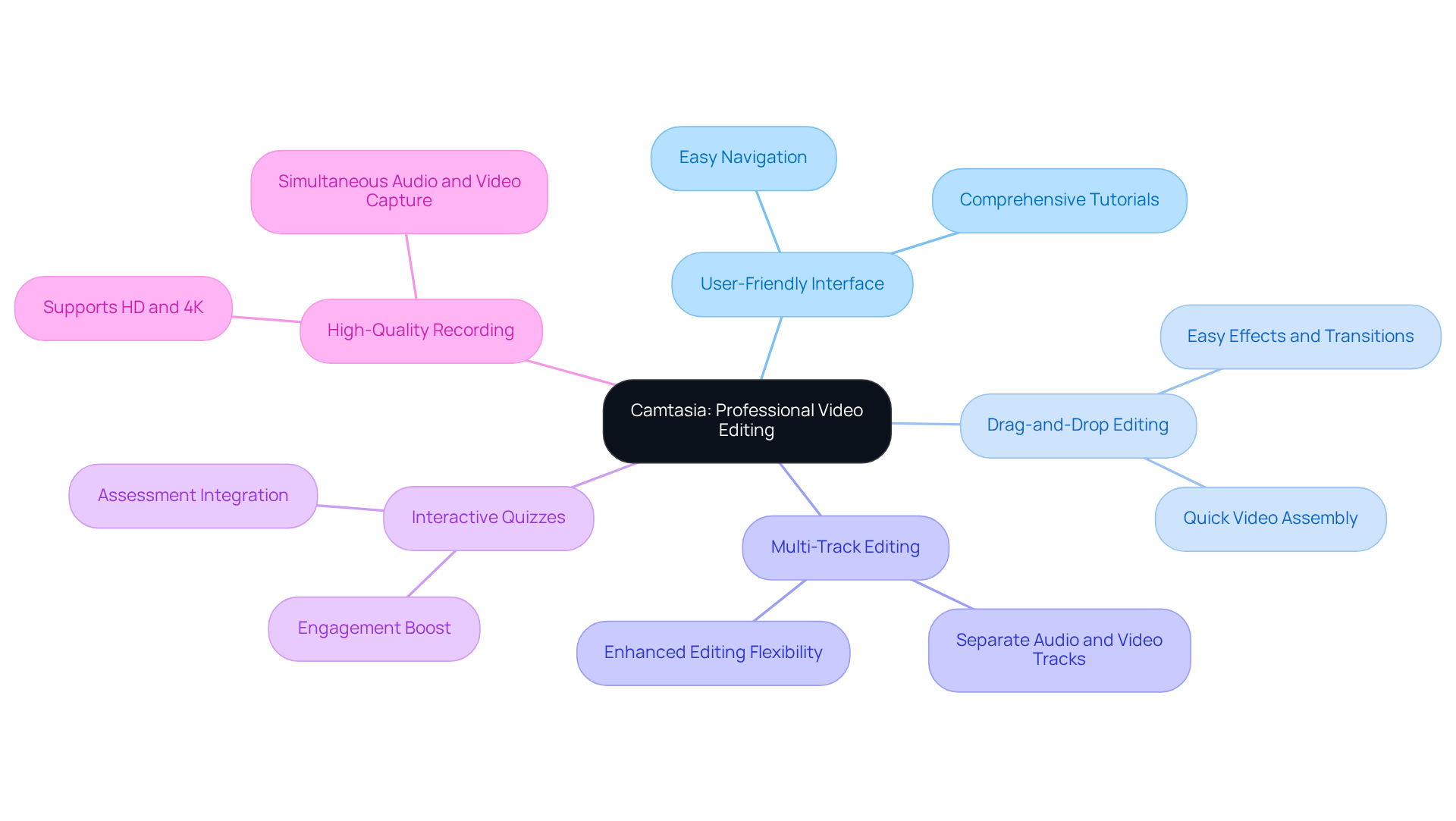
You might be wondering what makes Camtasia the best for both screen recording and editing. Well, it’s pretty simple! This application is one of the best options, enabling you to create without breaking a sweat. With its and drag-and-drop editing, you can easily add effects, transitions, and annotations to your videos.
Now, let’s dive into some of the cool features that really set Camtasia apart. Its advanced functionalities, like multi-track editing and the option to include , make it a fantastic tool for crafting engaging . For instance, the Management Information Systems team at CareerSource Florida uses Camtasia to whip up instructional content that really boosts learning quality. Talk about making an impact in educational settings!
Plus, with those strong , you can ensure your screencasts not only get the message across clearly but also look super professional. As film editing software evolves, Camtasia keeps pace, adapting to the latest trends that focus on interactivity and audience engagement in professional content. So, if you’re looking to elevate your screencasting game, you might find that Camtasia is the best for you!
OBS Studio: Free and Versatile Screen Recording for All Users
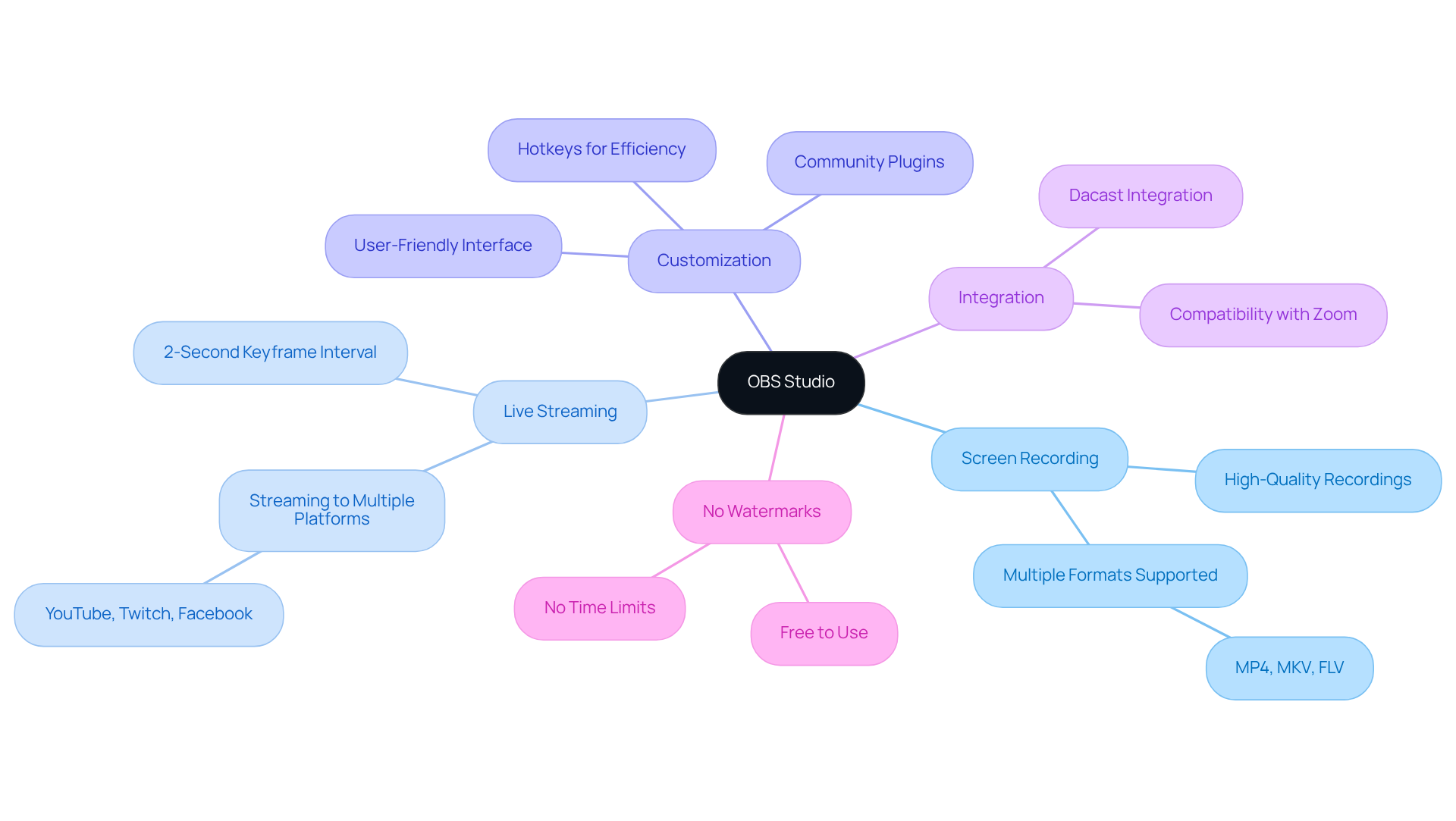
You might be wondering what makes OBS Studio such a hit among content creators. Well, it’s a robust open-source program designed for capturing displays and , which makes it one of the available for users of all skill levels. With its extensive feature set, you can create with . Imagine effortlessly capturing your display, webcam, and audio—ideal for tutorials, webinars, and live streams!
And here’s the best part: there are no watermarks or time limits! That’s right, OBS Studio is recognized as the for anyone looking to produce in a cost-effective manner. As more businesses jump on board for educational and promotional purposes, its flexibility and are gaining serious recognition among content creators.
Speaking of features, did you know that OBS Studio supports a keyframe interval of just 2 seconds for streaming? This is crucial for keeping your visual quality sharp. Plus, content creators rave about how well it integrates with platforms like Zoom, making meetings and webinars a breeze. As Simon Kemp, chief analyst at Kepios, puts it, 'OBS Studio's flexibility makes it a popular choice among content creators and live streamers.' So, are you ready to give it a try?
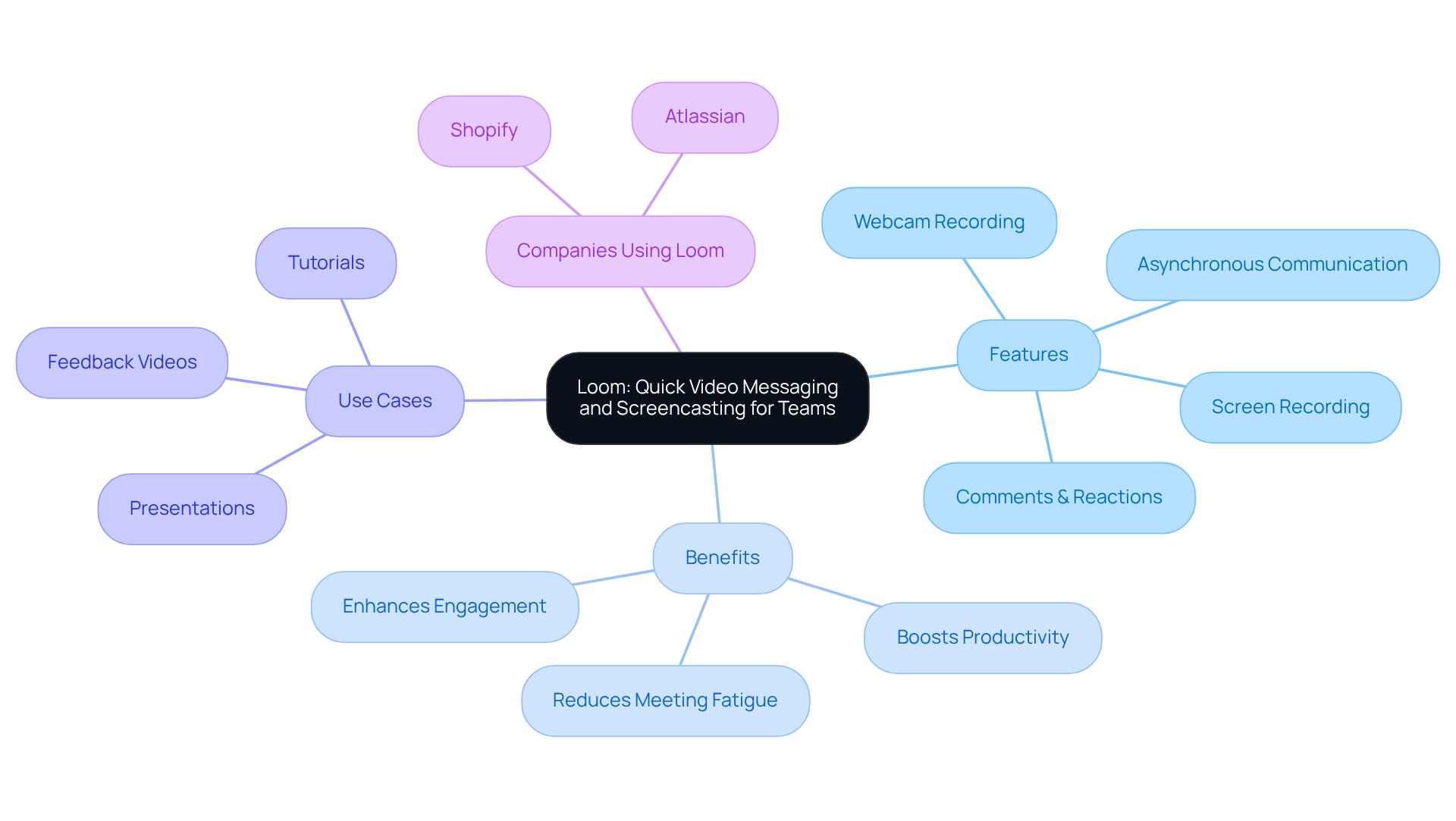
Loom: Quick Video Messaging and Screencasting for Teams
You might be wondering how to make smoother and more effective. Well, Loom is here to help! It’s a super easy-to-use messaging platform that incorporates the , allowing teams to capture their screens and share messages without any hassle. With its intuitive interface, you can record your screen, webcam, or both. This makes Loom the for creating tutorials, feedback videos, and presentations.
Now, let’s talk about how Loom’s can really change the game. Imagine being able to collaborate with your team across different time zones without the constant need for long meetings. Studies even show that this kind of communication can ! Team members can engage with content when it suits them, leading to more thoughtful responses and less meeting fatigue. Sounds great, right?
But that’s not all! steps in to revolutionize your . With , creating and updating becomes a breeze, ensuring your materials stay relevant in today’s fast-paced business world. This means your team has instant access to essential information, making onboarding and so much easier. Plus, the ability to add comments and reactions directly on Loom recordings really amps up engagement and clarity, fostering a collaborative vibe.
Companies like Shopify and Atlassian are already reaping the benefits of Loom in their workflows. They’re using it for that simplifies record-keeping and keeps everyone aligned. As organizations continue to adapt to hybrid work models, Loom is recognized as the for enhancing communication. And with , you get a seamless record-keeping solution that keeps all team members informed and engaged. So, what are you waiting for? Let’s dive into these tools and see how they can transform your team’s communication!
ScreenPal: Cost-Effective Screen Recording for Businesses
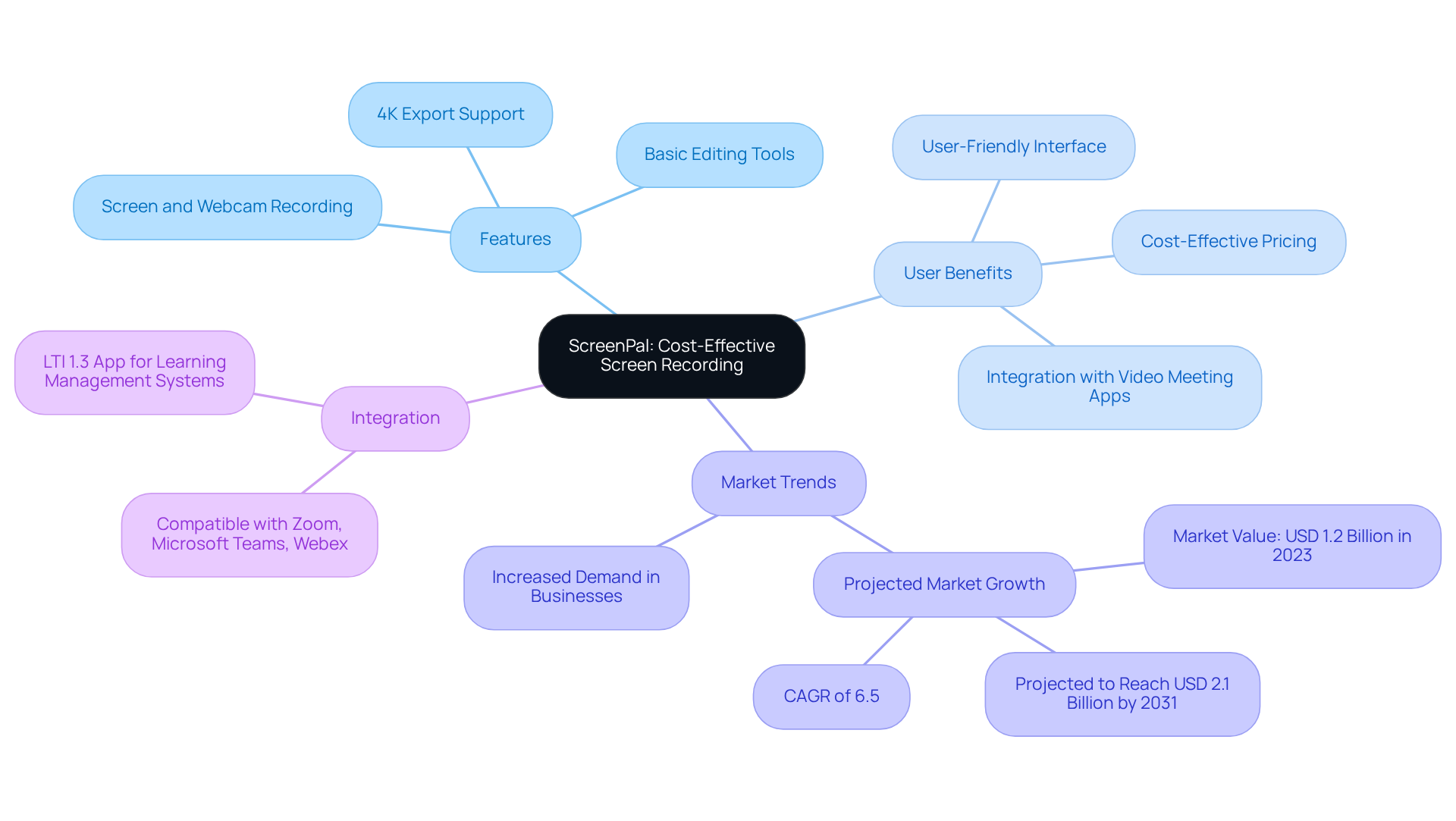
You might be wondering how to make your smoother without breaking the bank. Enter ScreenPal! This nifty recording solution stands out as the , offering a packed with features that help organizations like yours enhance their documentation game. With ScreenPal, you can easily record your screen, webcam, or both, and take advantage of basic editing tools that let you make quick tweaks.
What’s great is that its means even those of us who aren’t tech-savvy can whip up high-quality , tutorials, and presentations in no time. Plus, with , ScreenPal not only simplifies your documentation workflow but also aligns with the growing trend of the in the business world.
Organizations that have jumped on the ScreenPal bandwagon for their instructional content have seen some impressive boosts in and knowledge transfer. It’s truly a game-changer for teams looking to without hefty expenses. And at just $8 per license each month, it’s a steal! As one happy user put it, "It’s the ultimate capture tool that will assist you in creating smarter and faster, and sharing brand-ready content securely."
Now, let’s talk about trust. ScreenPal , so you can feel confident handling sensitive information. And if you’re using popular video meeting apps like Zoom, Microsoft Teams, or Webex, you’ll love how easily ScreenPal integrates with them, making it even more useful in a collaborative setting.
With the Screen Recorder Market projected to hit USD 2.1 Billion by 2031, growing at a CAGR of 6.5%, it’s clear that the , such as ScreenPal, is becoming essential for businesses wanting to stay competitive. So, why not give it a try and see how it can transform your ?
Movavi Screen Recorder: User-Friendly Tool for Effective Documentation
You might be wondering how to easily capture your without a hassle. Well, let me introduce you to the , which is Movavi Screen Recorder! It’s designed for folks like you who want a simple and effective way to record what’s happening on their display. With its super intuitive interface, you can grab your screen, webcam, and audio in just a few clicks.
Speaking of features, have you ever needed to or an online meeting? Movavi has got you covered with its . Plus, once you’ve captured your footage, you can easily jazz it up with annotations, effects, and music. How cool is that? This makes Movavi the for whipping up in no time.
So, if you’re looking to enhance your , why not give Movavi a try? It’s all about making your life easier while keeping things fun!
Screencast-O-Matic: Comprehensive Screencasting for Educators and Professionals
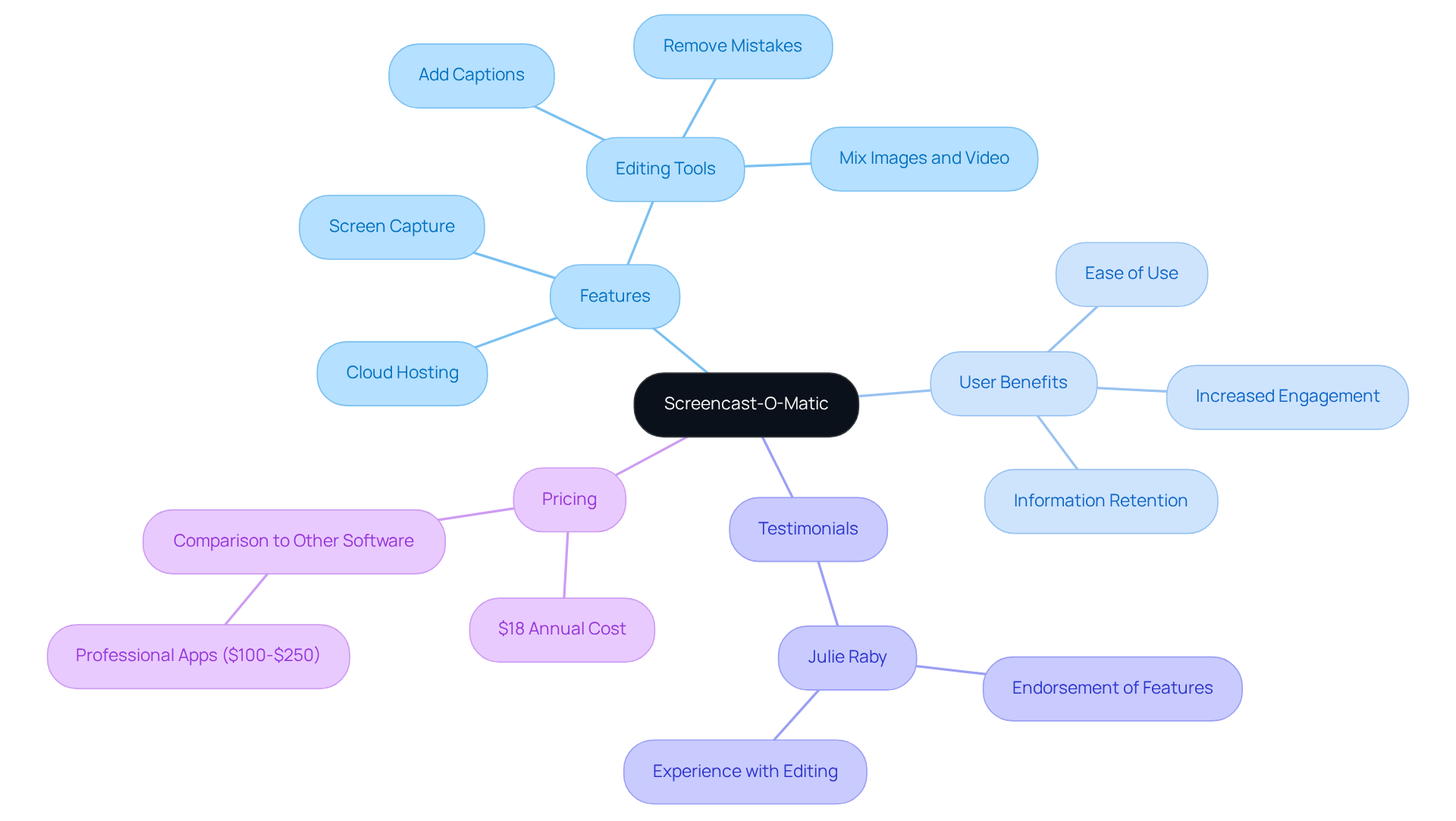
You might be wondering how to make your presentations pop and keep your audience engaged. Well, let me introduce you to Screencast-O-Matic! This handy tool is among the available for both educators and professionals. It lets you capture your screen, webcam, and audio all at once, making it a breeze to and presentations that really stand out.
What’s great about the , Screencast-O-Matic, is its range of editing features. You can easily add captions, annotations, and even some catchy music to your videos. Plus, with , sharing your recordings with students or colleagues is a piece of cake. Speaking of engagement, did you know that studies show video presentations can ? That’s why Screencast-O-Matic is regarded as the for organizations looking to streamline their .
Educators love it too! Julie Raby, a Senior Lecturer in English Literature, raves, " (and more) that they are likely ever to require." Doesn’t that sound like a lifesaver? It really takes the stress out of recording and editing.
Organizations from various sectors have jumped on the best screencasting software to elevate their presentation game. For instance, a case study showed that led to better student engagement and understanding of course material. And let’s talk about affordability—at just $18 a year, it’s a steal compared to other professional-grade software that can cost anywhere from $100 to $250.
As we look ahead to 2025, Screencast-O-Matic continues to be a favorite for those wanting to enhance their record-keeping efforts. It’s truly a vital tool for and . So, why not give it a try and see how it can transform your presentations?
Snagit: Powerful Screen Capture for Enhanced Documentation
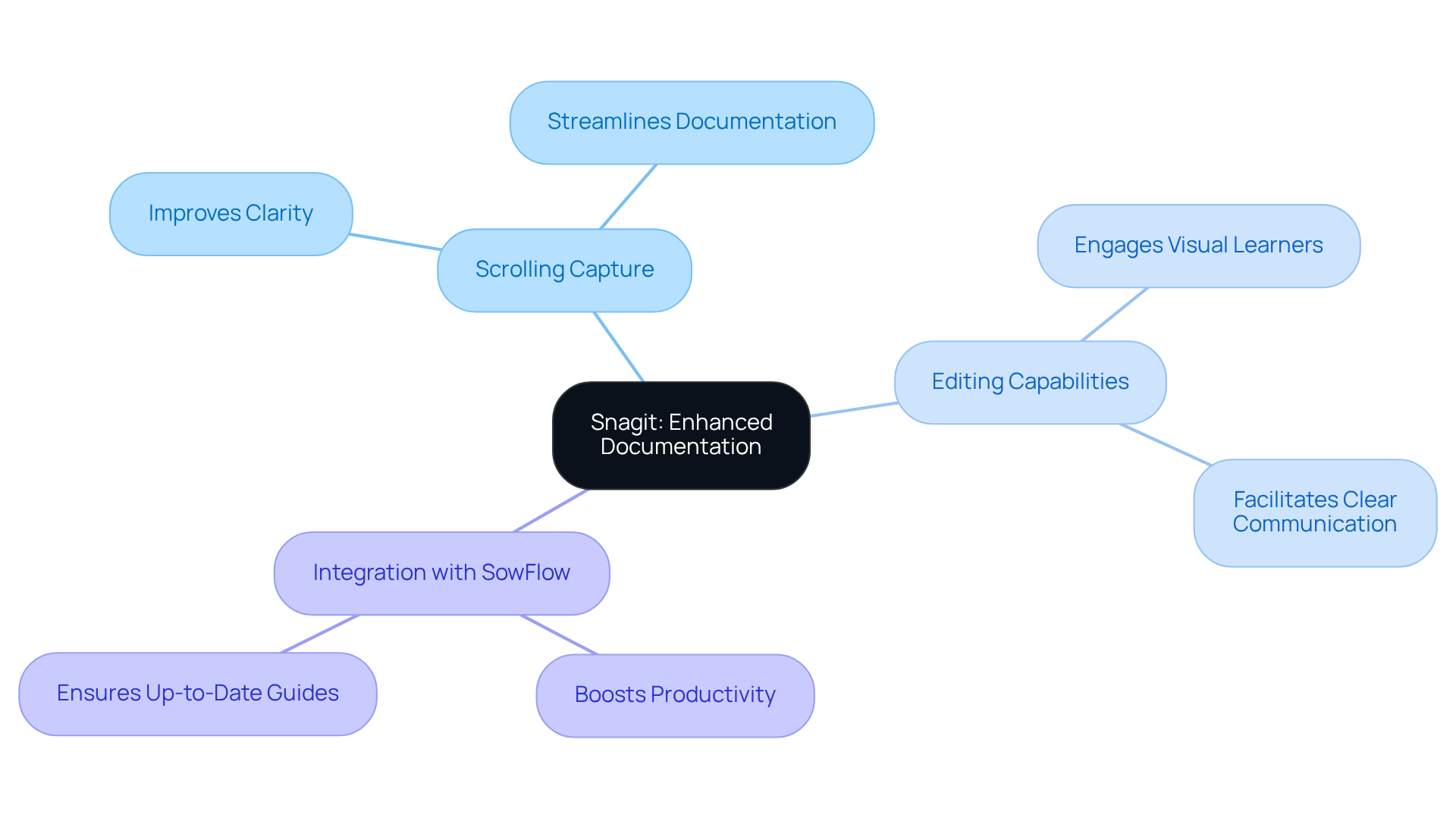
You might be wondering how Snagit, known as the , can make your life easier when it comes to capturing and recording screens. Well, let me tell you, it’s a game changer! This powerful tool is all about improving your visual records. One of its standout features is the scrolling capture, which lets you grab long web pages or documents in one go. No more messy screenshots! It really .
But that’s not all. Snagit comes packed with , allowing you to annotate your captures with text, arrows, and effects. This makes it super easy to convey complex information clearly. Did you know that 64% of people are more likely to engage with video content? And 65% are visual learners! That just goes to show how effective .
Now, if you need to whip up quickly, Snagit is the for the job. It’s become essential for organizations, including Fortune 500 companies, to utilize the for enhancing their record-keeping. They’re using Snagit to that help with knowledge transfer within teams. Plus, its integration with other applications boosts its utility in professional settings, making collaboration and workflow management a breeze.
Speaking of collaboration, let’s talk about . When you pair Snagit with , you can create guides effortlessly and keep everything up-to-date with immediate updates. This means no more pointless meetings where teams are scrambling for solutions! As more organizations recognize the value of visual instructions, combining Snagit’s features with ’s can really ramp up productivity and clarity.
To get the most out of Snagit, consider using its in your guides. This not only ensures clarity but also keeps your audience engaged. So, what are you waiting for? Dive into the world of effective documentation with Snagit and see the difference it can make!
Apowersoft Screen Recorder: User-Friendly Tool for Detailed Documentation
You might be wondering how to capture your screen activity without a hitch. Well, let me introduce you to ! This handy tool makes it super easy to . Whether you want to go full screen, select a custom region, or even record from your webcam, it’s got you covered.
What’s really cool is that you can annotate your recordings in real-time. Imagine creating that really pop! Plus, Apowersoft’s intuitive interface means you won’t be scratching your head trying to figure it out, even if you’re a total beginner.
And let’s not forget about sharing your videos. With , it’s a fantastic addition to any [[[[[documentation toolkit](https://sowflow.io)](https://skywork.ai/skypage/ko/Unveiling Apowersoft: A Deep Dive into AI-Powered Solutions for Enhanced Productivity/1972581787550543872)](https://skywork.ai/skypage/ko/Unveiling Apowersoft: A Deep Dive into AI-Powered Solutions for Enhanced Productivity/1972581787550543872)](https://skywork.ai/skypage/ko/Unveiling Apowersoft: A Deep Dive into AI-Powered Solutions for Enhanced Productivity/1972581787550543872)](https://skywork.ai/skypage/ko/Unveiling Apowersoft: A Deep Dive into AI-Powered Solutions for Enhanced Productivity/1972581787550543872). So, if you’re looking for the best to enhance your documentation game, why not give Apowersoft a try? You might just find it’s the perfect fit for your needs!
ScreenFlow: Premium Screencasting with Advanced Editing Features
You might be wondering what makes ScreenFlow the best who want to create screencasts. Well, it’s considered the , packed with a solid set of recording and editing tools that really shine. Imagine being able to capture your screen, webcam, and audio all at once with the —perfect for whipping up and presentations!
Now, let’s dive into what really sets ScreenFlow apart. With its sophisticated editing features like multi-track editing, customizable transitions, and dynamic text animations, it stands out as the for producing videos that look professional and polished. This can really boost your record-keeping efforts, making everything from to instructional content more effective.
And here’s the kicker: organizations using ScreenFlow have seen some impressive improvements in . It’s amazing how those can enhance user engagement and help with . So, if you’re looking to and elevate the quality of your content, consider that ScreenFlow is one of the best available!

Conclusion
You might be wondering about the best screencasting software out there. Well, let me tell you, there’s a whole treasure trove of options designed to make documentation and communication within organizations a breeze! From SowFlow's easy SOP creation to Camtasia's powerful video editing features, each tool brings something unique to the table, helping teams share knowledge and boost productivity.
Now, let’s talk about some key players. Tools like OBS Studio and Loom make screen recording and team collaboration a walk in the park. And if you’re looking for budget-friendly options that don’t skimp on quality, ScreenPal and Movavi have got you covered. Plus, educators and professionals can really benefit from Screencast-O-Matic and Snagit, which enhance engagement and help with knowledge retention through visually appealing content.
As we navigate these ever-changing work environments, embracing these advanced screencasting tools is more important than ever. They’re essential for effective communication and efficient documentation practices. By tapping into what these software options offer, teams can streamline their workflows and foster a collaborative culture that drives success. So, why wait? Now’s the perfect time to explore these tools and see how they can transform your documentation process. Take the leap and discover the difference they can make!
Frequently Asked Questions
What is SowFlow and how does it help with SOP creation?
SowFlow is a tool designed to simplify the creation and management of Standard Operating Procedures (SOPs), allowing users to quickly generate thorough how-to guides and access vital resources without unnecessary meetings.
How does SowFlow improve workflow?
With a single command, SowFlow allows users to pull up knowledge from their records, reducing the need for meetings and streamlining workflows. Its user-friendly Chrome extension enables users to record workflows directly from their browser, keeping records relevant and up-to-date.
What are the benefits of using SowFlow for record-keeping?
SowFlow minimizes chaos associated with traditional record-keeping methods, makes updating and revising records easy, and helps maintain structured operations and effective knowledge management.
How much can companies reduce training time by using good record-keeping practices?
Companies that adopt solid record-keeping practices can cut training time by up to 30%, allowing for faster and more efficient onboarding of new employees.
What is Camtasia and what features does it offer?
Camtasia is a screencasting software that enables users to create high-quality screencasts with a user-friendly interface. It offers drag-and-drop editing, effects, transitions, annotations, multi-track editing, and the option to include interactive quizzes.
How is Camtasia used in educational settings?
Teams like the Management Information Systems team at CareerSource Florida use Camtasia to create instructional content that enhances learning quality, making a significant impact in educational environments.
What makes OBS Studio popular among content creators?
OBS Studio is a free, open-source program for capturing displays and live streaming, known for its extensive features, customizable audio and visual settings, and the absence of watermarks or time limits.
What are some key features of OBS Studio?
OBS Studio supports high-quality recordings, a keyframe interval of just 2 seconds for streaming, and integrates well with platforms like Zoom, making it ideal for tutorials, webinars, and live streams.
Who is OBS Studio suitable for?
OBS Studio is suitable for users of all skill levels who are looking to produce professional-grade content in a cost-effective manner, making it a popular choice among content creators and live streamers.
List of Sources
- SowFlow: Streamlined Documentation Solutions for Instant SOP Creation
- nl.linkedin.com (https://nl.linkedin.com/company/trysowflow)
- The economic potential of generative AI: The next productivity frontier (https://mckinsey.com/capabilities/tech-and-ai/our-insights/the-economic-potential-of-generative-ai-the-next-productivity-frontier)
- Mastering Repeated Process for Effective Documentation Management (https://sowflow.io/blog-post/mastering-repeated-process-for-effective-documentation-management)
- monjaco.com (https://monjaco.com/blog/streamlining_efficiency)
- 100 Document Management Statistics to Make You Rethink Your Processes in 2025 (https://filecenter.com/blog/document-management-statistics)
- Camtasia: Professional Video Editing for High-Quality Screencasts
- quora.com (https://quora.com/What-is-your-opinion-about-Camtasia-software-How-does-it-work)
- coassemble.com (https://coassemble.com/blog/top-10-e-learning-tools)
- democreator.wondershare.com (https://democreator.wondershare.com/screen-recorder/camtasia-screen-recorder-review.html)
- trustradius.com (https://trustradius.com/products/camtasia/reviews)
- Video Editing Software Market Statistics (2026) (https://sendshort.ai/statistics/video-editing-software)
- OBS Studio: Free and Versatile Screen Recording for All Users
- datareportal.com (https://datareportal.com/reports/digital-2023-global-overview-report)
- Podcast Statistics and Trends for 2026 (& Why They Matter) (https://riverside.com/blog/podcast-statistics)
- dacast.com (https://dacast.com/blog/how-to-use-obs-professional-video-streaming)
- primalvideo.com (https://primalvideo.com/video-creation/live-streaming/how-to-use-obs-studio-tutorial-for-beginners)
- glasp.co (https://glasp.co/youtube/0zHujR-laao)
- Loom: Quick Video Messaging and Screencasting for Teams
- atlas-bench.com (https://atlas-bench.com/blog/how-loom-rovo-and-atlassian-teamwork-foundation-redefine-collaboration)
- Workplace Communication Statistics for 2026 (https://pumble.com/learn/communication/communication-statistics)
- lennysnewsletter.com (https://lennysnewsletter.com/p/product-manager-is-an-unfair-role)
- support.atlassian.com (https://support.atlassian.com/loom/docs/elevate-team-collaboration-with-available-features)
- 31 statistics about collaboration in the workplace in 2025 (https://zoom.com/en/blog/workplace-collaboration-statistics)
- ScreenPal: Cost-Effective Screen Recording for Businesses
- screenpal.com (https://screenpal.com/screenpal-vs-youtube)
- canvid.com (https://canvid.com/alternative/screenpal)
- Screen Recorder Market Size, Share, Trends, Analysis, Scope (https://verifiedmarketresearch.com/product/screen-recorder-market)
- giiresearch.com (https://giiresearch.com/report/tbrc1706855-screen-capture-software-global-market-report.html)
- Movavi Screen Recorder: User-Friendly Tool for Effective Documentation
- movavi.com (https://movavi.com/learning-portal/ai-video-editing-software.html)
- beebom.com (https://beebom.com/movavi-video-editor-review)
- unifab.ai (https://unifab.ai/resource/movavi-video-editor-review)
- chooslytics.com (https://chooslytics.com/articles/movavi-windows-comprehensive-overview)
- Screencast-O-Matic: Comprehensive Screencasting for Educators and Professionals
- learnimplementshare.com (https://learnimplementshare.com/6-reasons-to-use-screencast-o-matic-deluxe.html)
- andrewdouch.wordpress.com (https://andrewdouch.wordpress.com/2014/02/13/the-best-screencasting-software-for-teachers)
- tel.yorksj.ac.uk (https://tel.yorksj.ac.uk/case-study-using-screencast-o-matic-in-teaching)
- commonsense.org (https://commonsense.org/education/best-in-class/the-best-screencasting-tools-for-classrooms)
- Snagit: Powerful Screen Capture for Enhanced Documentation
- greymatter.com (https://greymatter.com/content-hub/techsmith-snagit-2021-is-here)
- sowflow.io (https://sowflow.io/blog-post/10-essential-screen-recording-tools-for-streamlined-documentation)
- folge.me (https://folge.me/blog/why-using-screenshots-makes-step-by-step-effective)
- prohance.net (https://prohance.net/blog/the-benefits-of-screen-recording-for-businesses-and-organizations)
- Apowersoft Screen Recorder: User-Friendly Tool for Detailed Documentation
- voxel51.com (https://voxel51.com/blog/why-quality-dataset-annotation-is-key-to-machine-learning)
- promo.com (https://promo.com/blog/apowersoft-screen-recorder-review)
- movavi.com (https://movavi.com/learning-portal/apowersoft-review.html)
- arxiv.org (https://arxiv.org/html/2410.16959v1)
- skywork.ai (https://skywork.ai/skypage/ko/Unveiling Apowersoft: A Deep Dive into AI-Powered Solutions for Enhanced Productivity/1972581787550543872)
- ScreenFlow: Premium Screencasting with Advanced Editing Features
- Screen Recording Software Market Size, Industry Share | Forecast [2025-2032] (https://fortunebusinessinsights.com/screen-recording-software-market-107056)
- cognitivemarketresearch.com (https://cognitivemarketresearch.com/screencast-software-market-report)
- datahorizzonresearch.com (https://datahorizzonresearch.com/screen-recording-software-market-38992)
- verifiedmarketreports.com (https://verifiedmarketreports.com/product/screen-recorder-market)
- htfmarketinsights.com (https://htfmarketinsights.com/report/2833180-screencast-software-market)
👍
What others are liking


5 Steps to outline your ideal documentation structure
5 MINS READ
Where to start the your journey of mapping out your ideal documentation structure, aligning it with the very heartbeat of your organization?
Defining a winning level of detail in your process
3 MINS READ
What is too much detail, and what is too little? This article described in that winning level detail about what detail is enough.


