

Remote Team Documentation Strategies
|
April 29, 2026
|

10 Essential Screen Recording Tools for Streamlined Documentation
Key Highlights
- SowFlow offers a user-friendly Chrome extension for real-time screen recording, enhancing documentation efficiency.
- 65% of people are visual learners, making screen capture a valuable tool for learning and retention.
- Loom allows quick video messaging with AI-driven transcripts in over 50 languages to boost team communication.
- Camtasia combines screen recording and video editing, offering mobile-friendly features for creating engaging training materials.
- Snagit provides advanced screen capture tools, including scrolling screenshots and image annotation for clear documentation.
- OBS Studio is an open-source tool with high-quality recording capabilities and a supportive community for content creators.
- ScreenFlow is designed for macOS, enabling simultaneous recording of screen, webcam, and audio for polished content.
- ShareX is a customizable, free tool for tailored screen captures, enhancing documentation relevance and efficiency.
- Bandicam excels in high-definition recording with app-specific audio capture and a user-friendly interface.
- FlashBack Pro simplifies the creation of engaging tutorials with webcam recording and annotation features.
- Nimbus Capture is an all-in-one solution for screenshots and video recording, integrating easily with cloud services for collaboration.
Introduction
As organizations increasingly embrace visual communication, you might be wondering why the demand for effective screen recording tools has surged. These handy tools not only streamline documentation processes but also boost learning and retention among users. With so many options out there, how do you figure out which screen recording software fits your needs best?
In this article, we’ll explore ten essential screen recording tools that promise to elevate your documentation efficiency, foster collaboration, and ultimately transform the way your team communicates and shares knowledge.
SowFlow: Streamlined Screen Recording for Instant Documentation
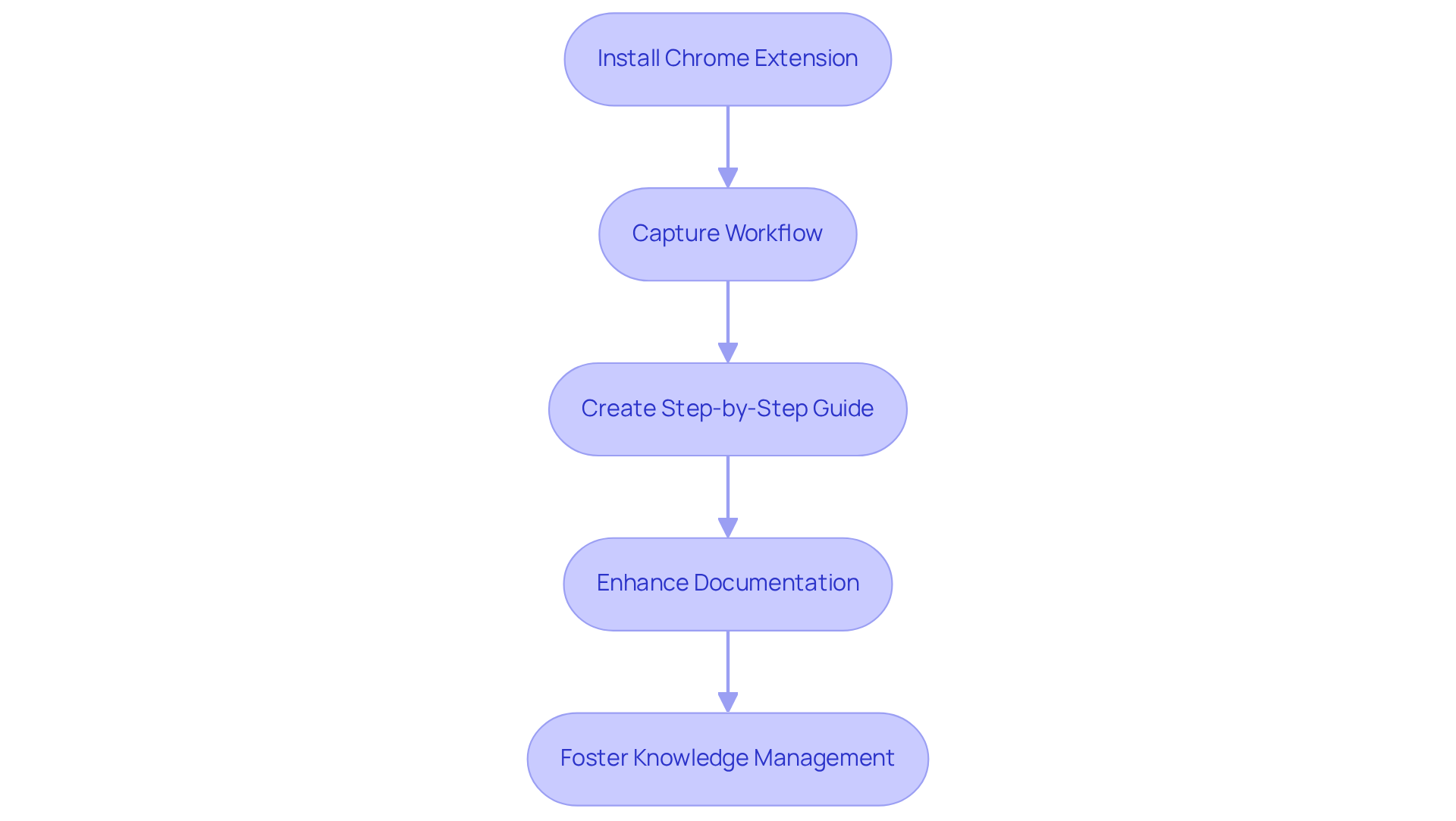
You might be wondering how to make your documentation process smoother, right? Well, let me introduce you to SowFlow—one of the powerful that really simplifies . With its , you can easily capture your workflows right from your browser, turning those processes into step-by-step guides in real time. This not only saves you a ton of time on record-keeping but also ensures that all your materials are up-to-date and relevant.
As more organizations lean into visual aids for , the ability to whip up and is becoming essential. Did you know that 65% of people are visual learners? Incorporating screen capture into your written processes can really boost retention and comprehension, making it a must-have for companies aiming to .
Now, let’s explore the latest updates regarding ! They've really stepped up their game, enhancing functionalities for seamless collaboration and sharing, particularly through the use of , which is crucial in our fast-paced work environments. By leveraging , you can not only enhance your but also foster a more structured approach to knowledge management. So, why not give it a try and see how it can transform your workflow?
Loom: Quick Video Messaging for Team Collaboration
You might be wondering how Loom can make your life easier. Well, it’s a powerful one of the for quick video messaging that lets you record your screen, webcam, and audio all at once—effortlessly! This is super handy for whipping up and updates, helping teams communicate without those . Its user-friendly interface makes sharing information a breeze, which is why love it.
Now, let’s talk about some of the cool features. Loom recently rolled out in over 50 languages, making it easier for everyone to engage with the content—no language barriers here! Experts in remote work are all about tools like Loom because they really , create a collaborative culture, and .
Joe Thomas, co-founder and CEO of Loom, said it best: "Loom’s vision is to empower everyone at work to communicate more effectively wherever they are." By helping teams share knowledge quickly, Loom not only ramps up productivity but also strengthens team dynamics. It’s truly an .
Oh, and did you hear? Atlassian acquired Loom for $975 million! That just goes to show how valuable it is in the market, especially when it comes to enhancing and collaboration. Plus, let’s not forget the potential downsides of low motivation, like absenteeism and high turnover rates. Using such as Loom can really help keep employees engaged and productive. So, what do you think? Ready to give Loom a try and see how it can transform your team's communication?

Camtasia: Professional Video Editing for Comprehensive Guides
You might be wondering how to without breaking a sweat. Well, let me introduce you to Camtasia! This powerful application, which includes and video editing capabilities, makes it super easy for anyone to produce top-notch . With handy features like drag-and-drop editing and customizable templates, plus the ability to add interactive elements, Camtasia is your go-to for comprehensive guides that are both informative and engaging.
Now, here’s something to think about: nearly 70% of U.S. digital video watchers prefer accessing content on their smartphones. That’s where Camtasia’s come into play, making it a breeze to view your content on any device. This flexibility is crucial for organizations looking to and keep up with the ever-changing preferences of their audience. Plus, did you know that 96% of consumers turn to to learn more about products before making a purchase? to with this behavior.
As the global video streaming market keeps expanding, the need for quality is more important than ever. Organizations wanting to elevate their and find that like Camtasia are essential. So, why not dive in and explore how you can make your documentation shine with Camtasia?

Snagit: Enhanced Screen Capture for Detailed Documentation
Have you ever found yourself needing to quickly grab a screenshot or utilize to ? Snagit is here to help! This flexible screen recording tool makes it super easy for you to take screenshots and record videos without any hassle. With its , like scrolling screenshots and the ability to annotate images, Snagit stands out as a fantastic choice for creating detailed . It helps you convey complex information clearly, so everyone on your team has access to the they need.
You might be curious about what makes Snagit so special. Here are some key features:
- Scrolling Capture: Easily capture long web pages or documents in a single image. No more messy screenshots!
- Image Annotation: Add notes, arrows, and highlights to clarify information. It’s like having a virtual highlighter!
- Step Capture: Automatically document processes by capturing each step and organizing them into a . Perfect for tutorials!
- Smart Redact: Automatically detects and obscures sensitive information to enhance privacy. Your secrets are safe!
- Background Noise Removal: Improves audio clarity in recorded videos, making communication more effective. Say goodbye to distractions!
Did you know that Snagit is used by all Fortune 500 companies and over 39 million individuals worldwide? That’s a testament to its reliability and effectiveness in professional environments. As Tony Lambert, CTO of TechSmith, puts it, "We’ve enhanced Snagit and Camtasia with new AI and Screentelligence features to make it faster and easier for users to achieve their creative goals." By leveraging like Snagit, your team can significantly improve the , making collaboration and understanding across departments a breeze. Now, let’s dive into how you can start using these features to enhance your game!
OBS Studio: Versatile Free Tool for High-Quality Recording
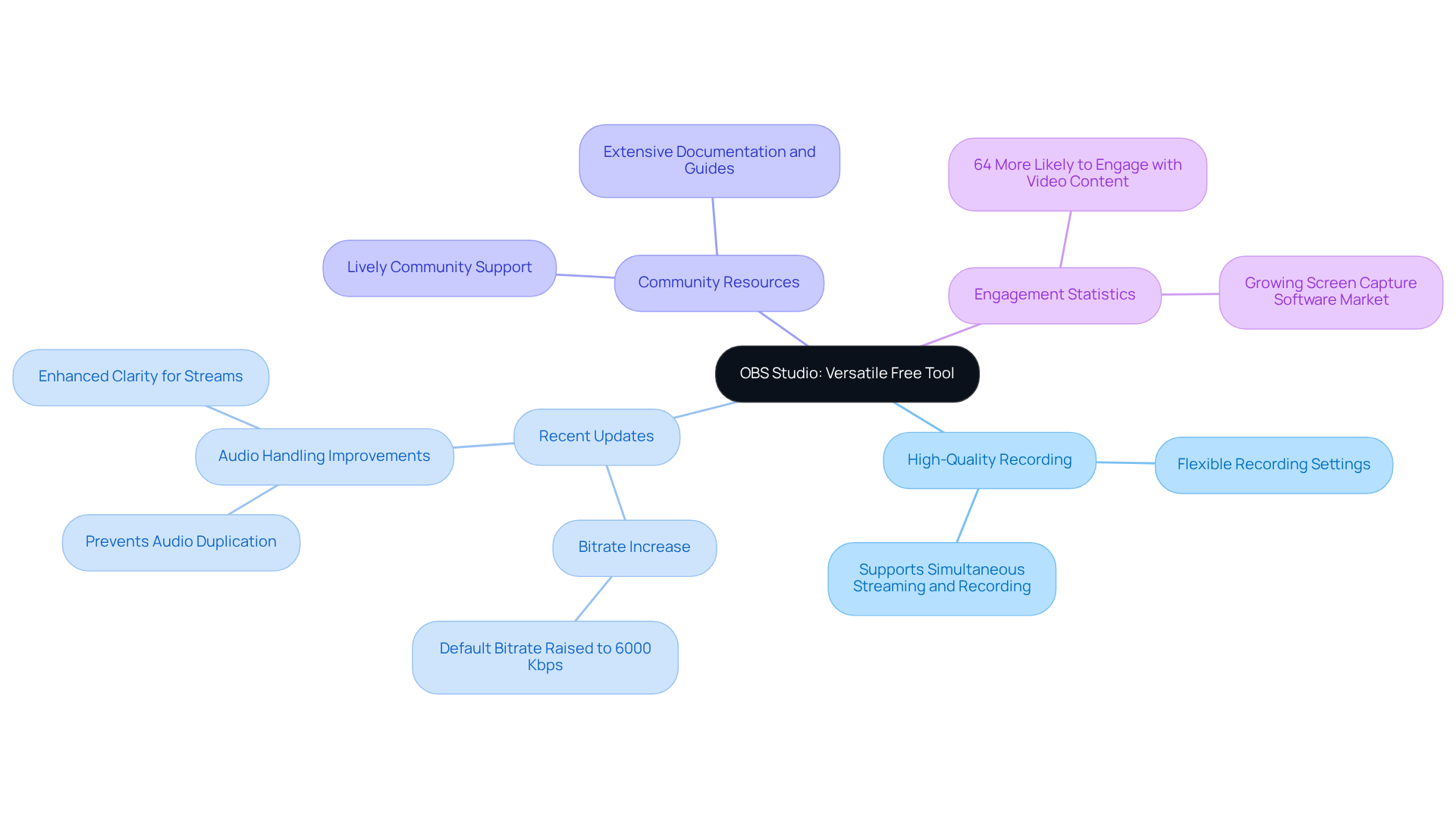
You might be wondering about OBS Studio and how it can help you. Well, it's a fantastic open-source application that truly excels as one of the best for and live streaming. What’s great is its flexibility; you can tweak the recording settings to fit just about any scenario, whether you’re gaming or giving a professional presentation.
Recently, . They’ve bumped the default streaming bitrate from 2500 Kbps to a whopping 6000 Kbps, plus improved audio handling. This really , especially for content creators across different fields. Did you know that 64% of people are more likely to engage with video content? That’s why OBS Studio’s features are a game-changer for companies looking to up their .
And here’s the best part: there’s a ton of . This means you can tap into the software’s full potential without spending a dime. Plus, with the new formats introduced in , it’s even more adaptable. This makes it a go-to choice for organizations aiming to efficiently with . As industry experts point out, the versatility of OBS Studio is what makes it an essential tool for effective content creation. So, are you ready to dive in and explore what OBS Studio can do for you?
ScreenFlow: Integrated Recording and Editing for Polished Outputs
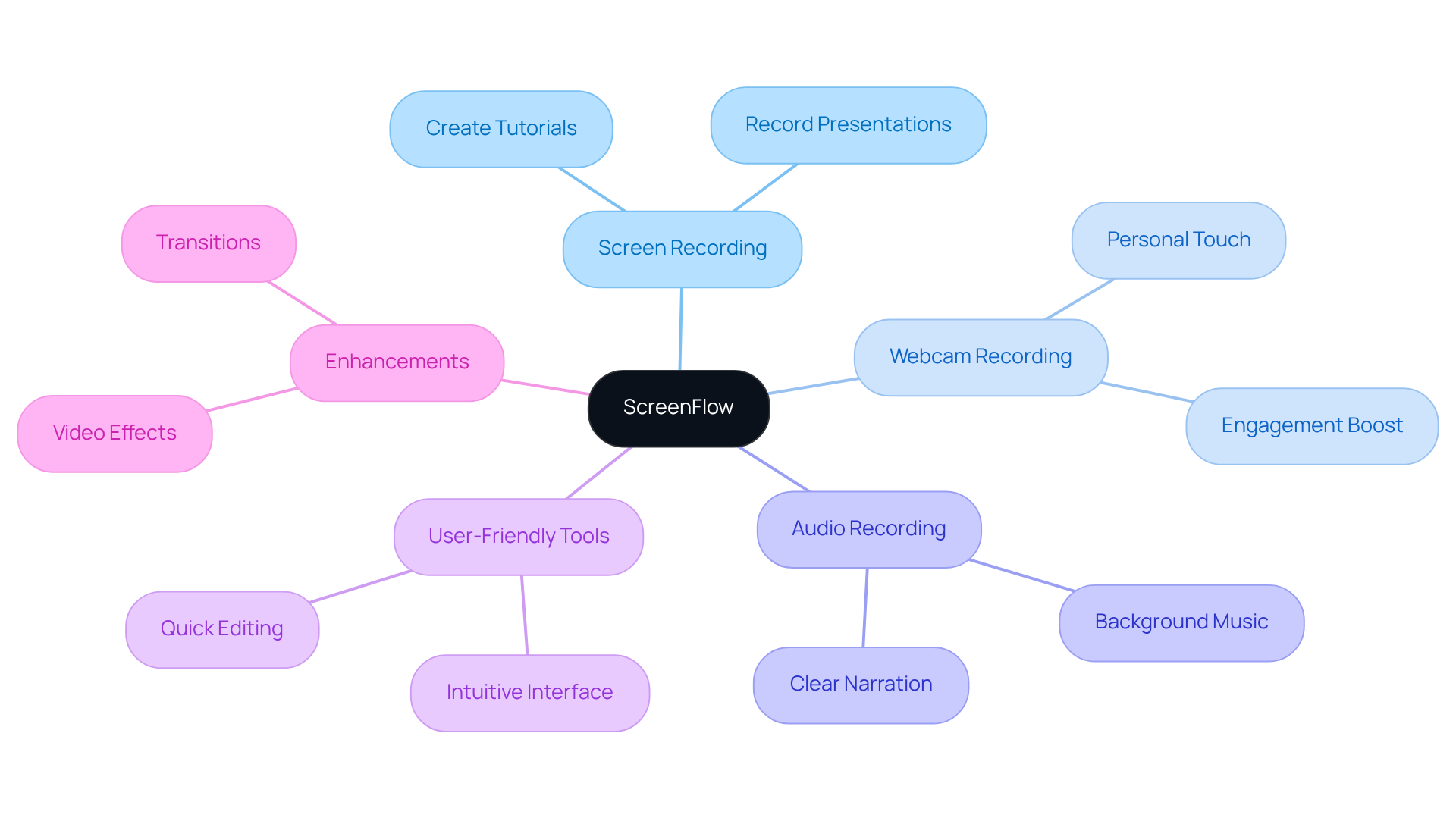
You might be wondering what ScreenFlow is all about. Well, it’s a powerful screen capture and designed just for macOS users. Imagine using to simultaneously record your screen, webcam, and audio! This makes it super easy to whip up tutorials and presentations without any hassle. Plus, with its user-friendly , you can quickly enhance your recordings. That’s why ScreenFlow is a favorite among professionals who want to create in no time.
ShareX: Customizable Screen Capture for Tailored Documentation
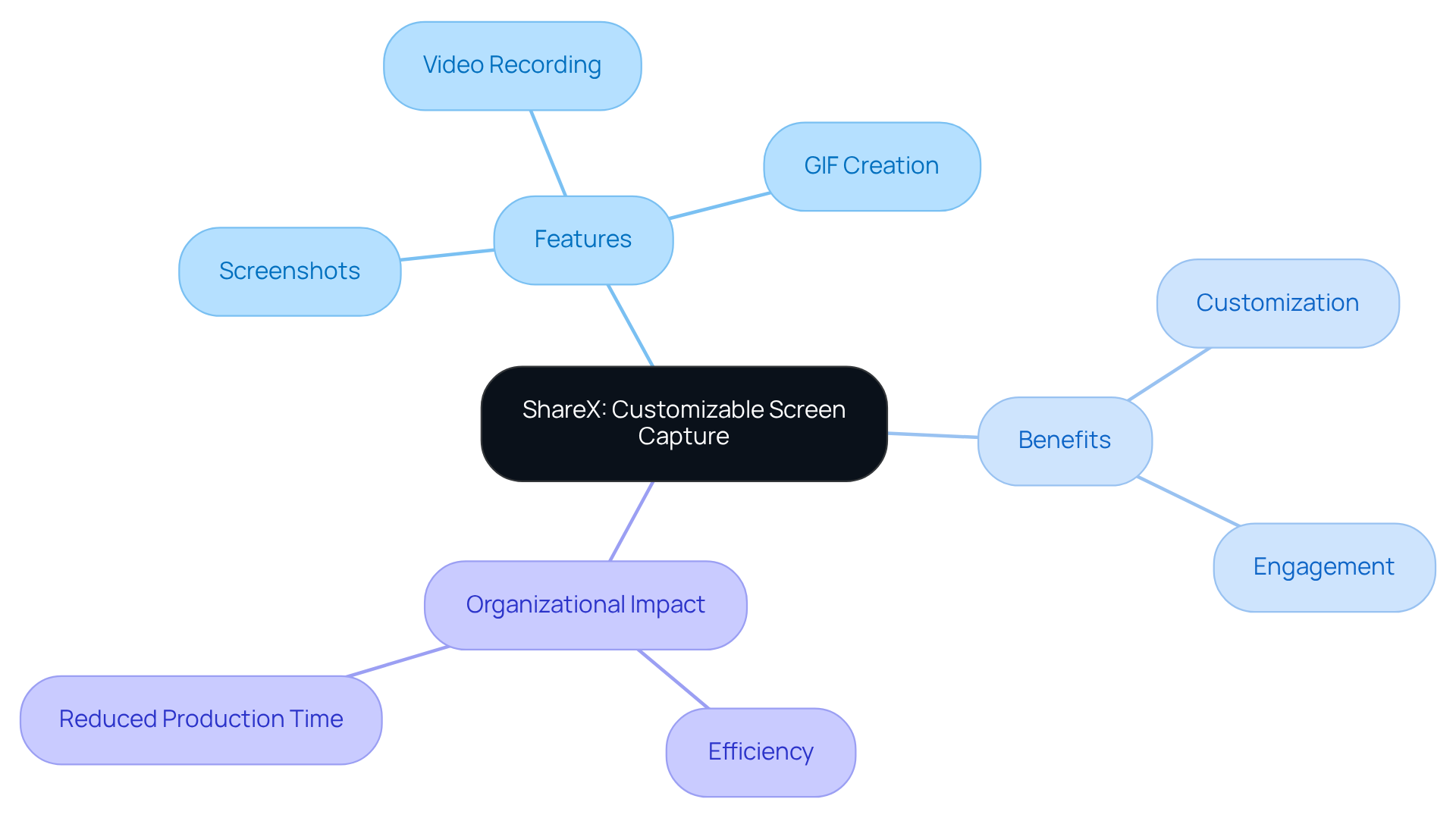
You might be wondering how to make your . Well, let me introduce you to ShareX! It's a powerful, free, and open-source tool for screen recording that really shines when it comes to customization. With ShareX, you can take screenshots, record videos, and even create GIFs, all while having access to a bunch of editing tools. This looking to tailor their recordings to fit their specific needs, ensuring that everything stays relevant and engaging.
Now, imagine being able to modify your screen grabs and recordings easily. ShareX effectively uses to achieve that! It simplifies the whole process, making it easier for teams to that truly resonate with their audience. Experts in the field agree that is key to enhancing the relevance of your records, as it allows teams to focus on what their audience really needs.
And here's the kicker: organizations that have jumped on the ShareX bandwagon are reporting major boosts in their . Some have even noticed a drop in the time they spend producing guides! This really shows how like ShareX can , leading to smoother workflows and better . So, why not give it a try and see how it can work for you?
Bandicam: High-Performance Recording for Smooth Documentation
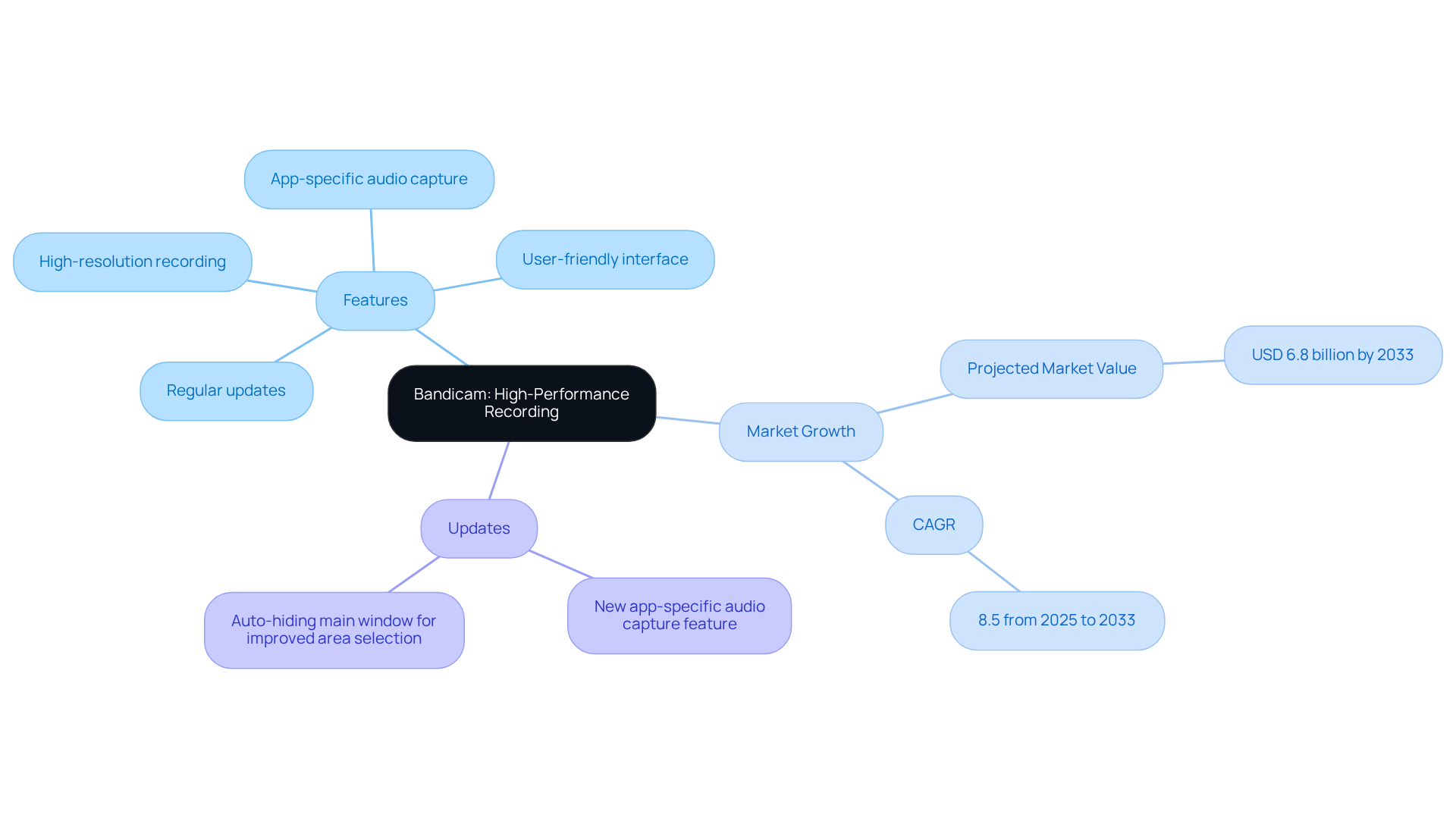
You might be wondering about Bandicam, right? Well, it’s a software that makes it super easy for you to capture your screen, gameplay, and even external devices. With its ability to capture in high definition while keeping everything running smoothly, it’s a fantastic choice for . Plus, the intuitive interface means you can jump right in without a complicated learning curve.
Now, let’s talk about some exciting updates that came out on September 15, 2025. These updates have really boosted its functionality, especially with the new . This means you can record sound from just one app, which really helps improve the clarity of your recordings. No more worrying about audio quality when capturing content; you can create polished and with ease.
As the screen recording tools market keeps growing—projected to hit USD 6.8 billion by 2033 with a CAGR of 8.5% from 2025 to 2033—Bandicam is still a go-to tool for professionals, educators, and content creators. Did you know that the Bureau of Labor Statistics expects a 14% growth in media and communication jobs from 2020 to 2030? That just shows how in-demand tools like Bandicam are becoming in professional settings.
So, what are some key features of Bandicam? Here’s a quick rundown:
- App-specific audio capture for better sound quality
- for quick setup
With its commitment to innovation and user satisfaction, Bandicam is really leading the charge in enhancing the quality of . Now, doesn’t that make you want to give it a try?
FlashBack Pro: User-Friendly Tool for Engaging Tutorials
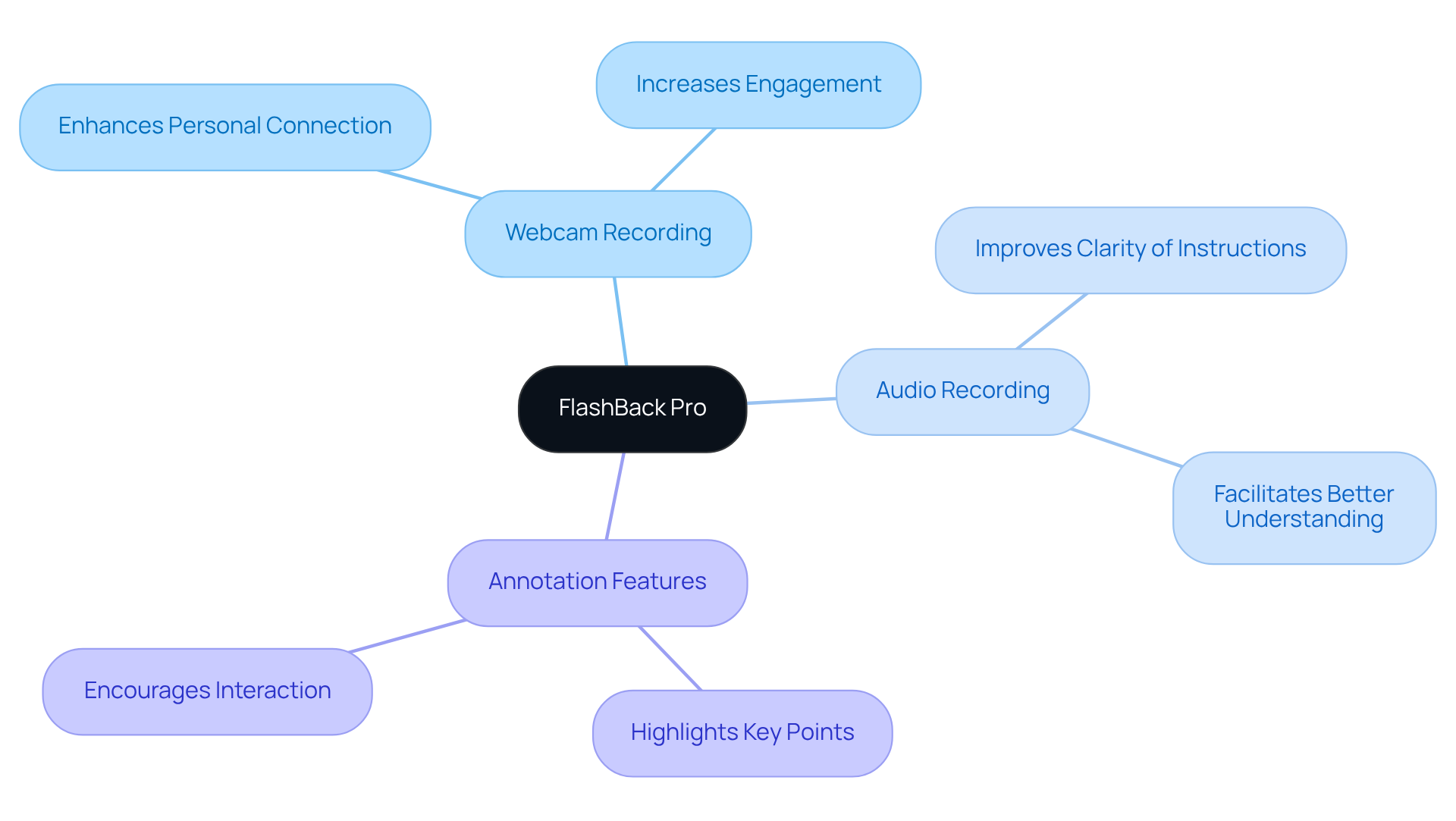
You might be wondering how to create and presentations without a hassle. Well, FlashBack Pro is here to help! This user-friendly screen recording tool really shines with its webcam recording, audio recording, and handy annotation features, making it super easy to whip up . Plus, its intuitive interface means you can create videos quickly without sacrificing quality—no wonder it’s a favorite among educators and trainers!
Now, let’s dive into why this matters. By simplifying the process of creating , FlashBack Pro enhances through effective , keeping learners captivated and informed. Educational leaders often stress that relies on solutions that resonate with learners, and such as FlashBack Pro truly embody this principle. As Patti Shank puts it, 'If learners think it looks bad, you may have lost a good percentage of the battle in getting them to pay attention.' This really highlights how crucial quality and engagement are in , and FlashBack Pro nails it!
Nimbus Capture: All-in-One Solution for Screen Recording and Sharing
You might be wondering how to make capturing and sharing information easier for your team. Enter Nimbus Capture—a versatile tool among that lets you take screenshots, record videos, and annotate images with ease. It connects seamlessly with cloud services, making sharing and collaboration a breeze. This makes it a fantastic choice for teams looking to .
With its and robust features, Nimbus Capture helps you without the hassle. And guess what? It’s only $5.00 per user per month, so it’s accessible for teams of all sizes. Plus, it offers handy features like and instant image annotation that really enhance your .
Paul Sher, CEO at FuseBase, puts it nicely: 'Nimbus Capture is one of the that allows users to or full screen view.' This highlights just how versatile it is! By allowing teams to annotate and share visual content quickly, Nimbus Capture . This means everyone stays in the loop with the latest info—no more unnecessary delays!
Conclusion
In the world of documentation, you might be wondering how the right screen recording tools can really make a difference. Well, they can significantly boost your efficiency and clarity! This article highlights ten essential tools that are designed to streamline your documentation process, improve communication, and foster collaboration among your team. By leveraging these innovative solutions, you can create high-quality instructional content that resonates with visual learners and keeps your information fresh.
Speaking of tools, from SowFlow's seamless browser integration to Loom's AI-driven transcripts, each one offers unique features that cater to different needs. Camtasia and Snagit are great for robust editing and capturing, while OBS Studio and Bandicam excel in delivering high-quality recordings. Plus, user-friendly options like FlashBack Pro and Nimbus Capture make it easy for anyone to create engaging tutorials and presentations. With the growing demand for effective video content, adopting these tools is crucial to staying competitive and enhancing your knowledge management.
But embracing these screen recording tools isn’t just about improving documentation; it’s about transforming how your team communicates and collaborates in today’s digital landscape. As you look to optimize your workflows, investing in the right tools can lead to significant boosts in productivity and engagement. So, explore these options, assess their features, and think about how they can fit into your documentation processes to elevate your team's performance and communication.
Frequently Asked Questions
What is SowFlow and how does it assist in documentation?
SowFlow is a screen recording tool that simplifies the documentation process by allowing users to capture workflows directly from their browser. It helps create step-by-step guides in real time, saving time on record-keeping and ensuring that materials are up-to-date.
Why are visual aids important in documentation?
Visual aids are important because 65% of people are visual learners. Incorporating screen capture into written processes enhances retention and comprehension, making it essential for companies aiming to optimize their operations.
What recent updates have been made to screen recording tools?
Recent updates have enhanced functionalities for seamless collaboration and sharing, which are crucial in fast-paced work environments. Tools like SowFlow have innovative features that improve documentation efficiency and knowledge management.
What is Loom and what are its main features?
Loom is a screen recording tool that allows users to record their screen, webcam, and audio simultaneously for quick video messaging. Its user-friendly interface makes it easy to share information, and it includes AI-driven transcripts in over 50 languages to eliminate language barriers.
How does Loom contribute to team collaboration?
Loom boosts communication efficiency by allowing teams to share knowledge quickly, reducing the need for lengthy meetings. This helps strengthen team dynamics and enhances productivity in remote work environments.
What recent development occurred with Loom?
Atlassian acquired Loom for $975 million, highlighting its value in enhancing team communication and collaboration.
What is Camtasia and what does it offer?
Camtasia is a powerful application that combines screen recording and video editing capabilities, making it easy to produce professional-quality training materials. It features drag-and-drop editing, customizable templates, and the ability to add interactive elements.
Why is mobile-friendliness important for Camtasia?
Nearly 70% of U.S. digital video watchers prefer accessing content on their smartphones. Camtasia's mobile-friendly features ensure that content is easily viewable on any device, catering to audience preferences.
How does video content influence consumer behavior?
96% of consumers turn to video content to learn more about products before making a purchase. Camtasia helps businesses create engaging content that resonates with this behavior.
Why are screen recording tools like Camtasia essential for organizations?
As the global video streaming market expands, the need for quality video content increases. Screen recording tools like Camtasia are essential for organizations looking to elevate their training materials and drive better engagement.
List of Sources
- SowFlow: Streamlined Screen Recording for Instant Documentation
- zight.com (https://zight.com/blog/why-screen-capture-software-is-where-its-at)
- sowflow.io (https://sowflow.io/blog-post/7-free-screen-capture-recording-tools-for-effortless-documentation)
- vidizmo.ai (https://vidizmo.ai/blog/benefits-of-screen-recording-software-for-organization)
- Loom: Quick Video Messaging for Team Collaboration
- forgeglobal.com (https://forgeglobal.com/insights/startup-news-loom-purchased-by-atlassian)
- 100+ Employee teamwork quotes that motivate, unite, and inspire success (https://culturemonkey.io/employee-engagement/employee-teamwork-quotes)
- 150+ Video Conferencing Statistics for 2025 | Zebracat (https://zebracat.ai/post/video-conferencing-statistics)
- Camtasia: Professional Video Editing for Comprehensive Guides
- tripleareview.com (https://tripleareview.com/video-editing-statistics)
- Snagit: Enhanced Screen Capture for Detailed Documentation
- globenewswire.com (https://globenewswire.com/news-release/2025/02/12/3025175/0/en/Snagit-and-Camtasia-2025-Introduce-AI-and-Screentelligence-Powered-Workflows-for-Faster-More-Impactful-Content-Creation.html)
- pimpmysnap.com (https://pimpmysnap.com/blog/using-screenshots-for-documentation-best-practices-and-tips)
- OBS Studio: Versatile Free Tool for High-Quality Recording
- betanews.com (https://betanews.com/2025/09/23/obs-studio-32-introduces-plugin-manager-new-formats-and-major-fixes)
- sowflow.io (https://sowflow.io/blog-post/7-free-screen-capture-recording-tools-for-effortless-documentation)
- elgato.com (https://elgato.com/us/en/explorer/news/streaming/obs-studio-320-update-plugin-manager-audio-fixes-and-more)
- gam3s.gg (https://gam3s.gg/news/how-to-record-with-obs-in-2025)
- claap.io (https://claap.io/blog/best-screen-recorder)
- ShareX: Customizable Screen Capture for Tailored Documentation
- Case Studies (https://msdynamicsworld.com/case_studies)
- Case Studies (https://blog.grandstream.com/case_studies)
- Case Studies - Active Docs (https://activedocs.com/case_studies)
- Case Studies – Custom IT Solutions for Businesses | Suretek Infosoft (https://suretekinfosoft.com/case_studies.html)
- Bandicam: High-Performance Recording for Smooth Documentation
- bandicam.com (https://bandicam.com/blog/news-bandicam-record-specific-sound?srsltid=AfmBOoqZir6z6Emsdau01Qgq56TR3EhJCELxLF8LqFjjnl5SuD_LiwJJ)
- verifiedmarketreports.com (https://verifiedmarketreports.com/product/screen-recording-software-market)
- Screen Recording Software Market Size, Growth, Share, & Analysis Report - 2033 (https://datahorizzonresearch.com/screen-recording-software-market-38992)
- FlashBack Pro: User-Friendly Tool for Engaging Tutorials
- 30 Inspiring Learning and Development Quotes (https://intellum.com/resources/blog/learning-and-development-quotes)
- 25 Inspiring Quotes for Learning and Development Pros (https://apty.ai/blog/learning-and-development-quotes)
- Nimbus Capture: All-in-One Solution for Screen Recording and Sharing
- zight.com (https://zight.com/chrome)
- g2.com (https://g2.com/products/nimbus-capture/reviews)
👍
What others are liking


5 Steps to outline your ideal documentation structure
5 MINS READ
Where to start the your journey of mapping out your ideal documentation structure, aligning it with the very heartbeat of your organization?
Defining a winning level of detail in your process
3 MINS READ
What is too much detail, and what is too little? This article described in that winning level detail about what detail is enough.


