
Knowledge Management through Documentation
|
April 29, 2026
|

6 Steps for Writing a User Manual That Enhances Efficiency
Key Highlights
- Define a clear purpose for the user manual to guide writing and enhance usability.
- Identify the target audience, considering factors like age and technical knowledge, to tailor the content appropriately.
- Organise content into clear sections with descriptive headings for easier navigation.
- Include a comprehensive table of contents to improve usability and allow quick access to information.
- Write clear, concise instructions using step-by-step formats and active voice to enhance understanding.
- Incorporate visual aids such as diagrams and screenshots to improve comprehension and reduce cognitive load.
- Conduct usability testing with real participants to gather feedback and improve the manual's clarity.
- Ensure the manual is free of grammatical errors and inconsistencies to maintain professionalism.
Introduction
Crafting an effective user manual isn’t just about jotting down instructions; it’s really about making the user experience smoother and more enjoyable. You might be wondering, how can we write a manual that not only informs but also empowers users to navigate products with confidence? Well, this guide dives into the essential steps to do just that.
But here’s a thought: what happens when clarity meets complexity? Can a well-structured manual truly bridge the gap between understanding and usability? Or do those pesky common pitfalls still lurk in the shadows, waiting to trip us up? Let’s explore this together!
Define the Purpose of Your User Manual
An effective guide begins with a when writing a . You might be wondering, what specific issues does this guide aim to tackle? Think about the tasks it’ll help you complete. For example, if you’re writing a for a software application, your goal could be to assist users with . A concise purpose statement not only sums up these objectives but also acts as a reference point throughout the writing process. This clarity boosts the guide's effectiveness, making it easier for users to navigate the information.
Instruction manuals are like , helping folks navigate the complexities of products. That’s why having a is so crucial for their success. By anticipating needs and concerns, a can really cut down on frustration and confusion, leading to a more satisfying experience. Plus, it can even reduce by empowering users to troubleshoot on their own.
Now, let’s dive into how can help. With just a single command, you can create and update guides, ensuring your documentation stays relevant and efficient in addressing user needs.
Identify Your Target Audience
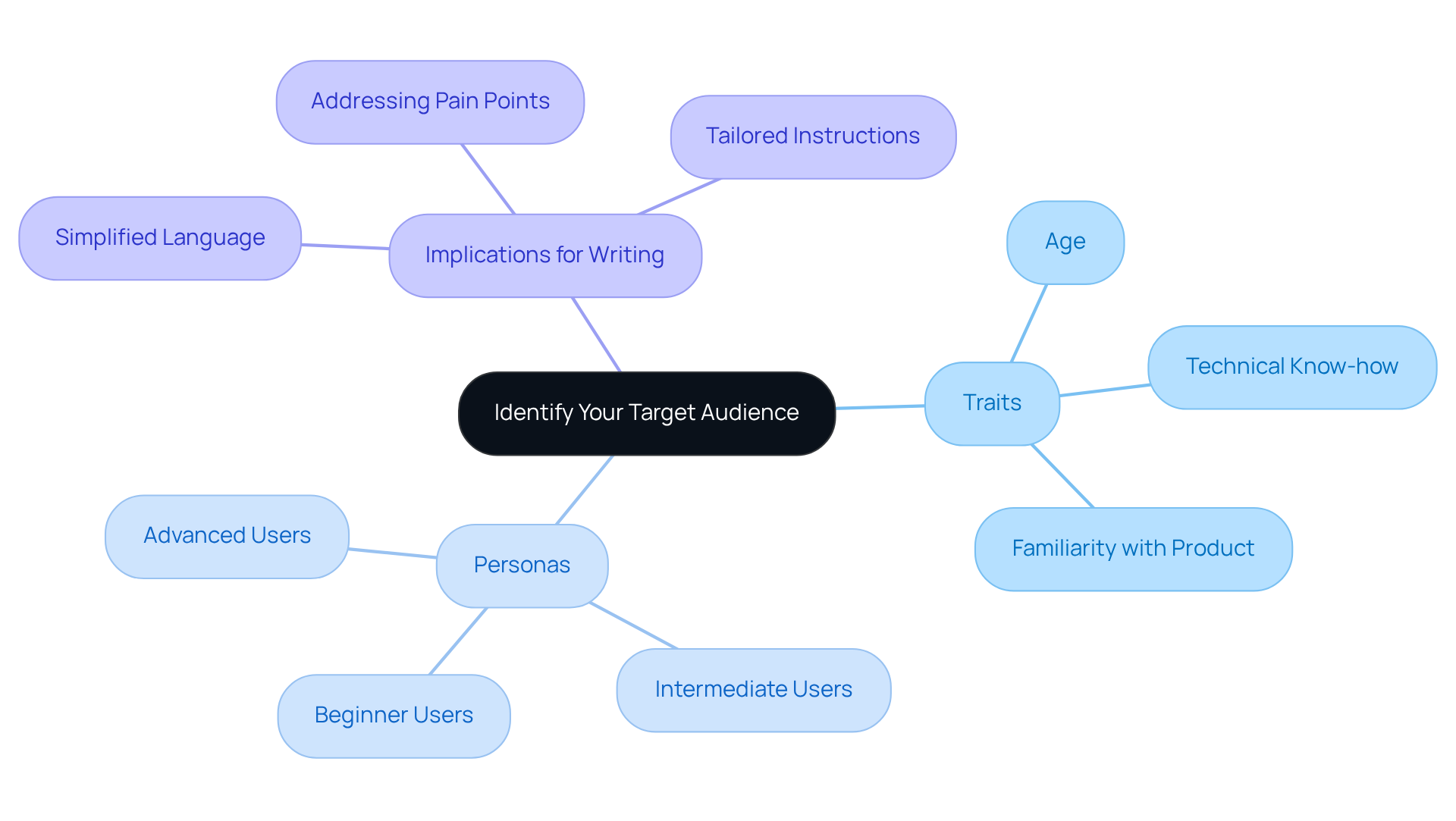
To develop an for , you may be wondering where to start. Well, it’s all about figuring out your ! Think about things like age, technical know-how, and how familiar they are with your product. If your audience includes beginners, you’ll want to keep the language simple and cut down on the jargon.
can really help here. They give you a clear picture of what your audience needs and prefers. These personas are like your roadmap for tailoring your writing style and deciding how complex your instructions should be. not only builds empathy but also helps you create content that truly connects with people.
By focusing on specific traits - like goals, motivations, and pain points - you can make sure your manual hits the mark and addresses the unique challenges different groups face. This approach makes the whole smoother, especially when , and boosts satisfaction and engagement.
Speaking of making things easier, have you heard about ? It lets you whip up guides in no time, giving you quick access to your records with just a command. No more unnecessary meetings hunting for answers! Plus, it makes updating and revising your documentation a breeze, keeping it fresh in our fast-paced business world.
Organize Content for Clarity and Usability
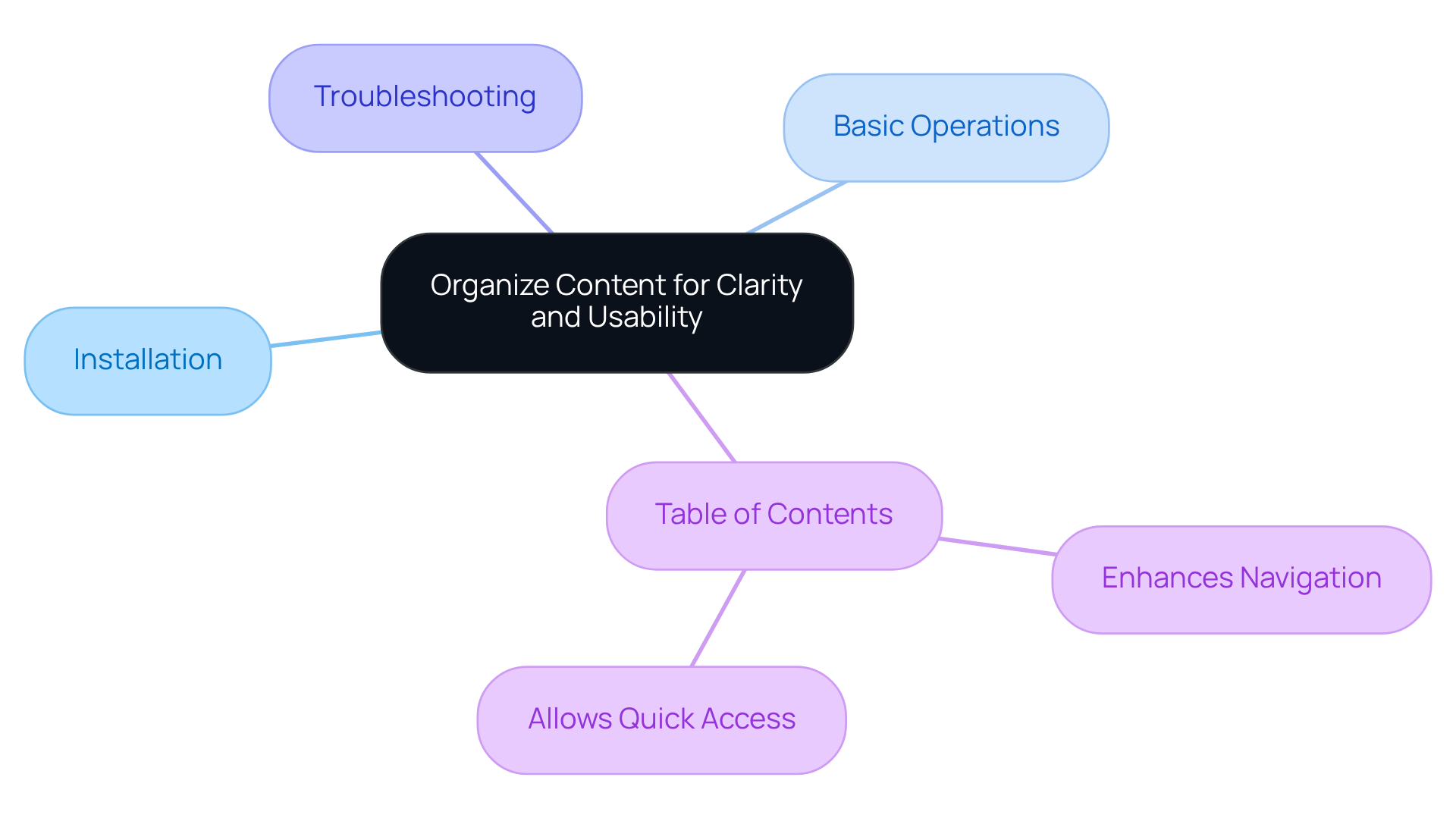
You might be wondering how to make your guide more efficient, right? Well, it all starts with organizing your content into . Think about using to break things down logically. For instance, you could have sections like:
- Installation
- Troubleshooting
This way, not only does it help with understanding, but it also aligns with how people naturally navigate information, making it easier for them to find what they need quickly.
Now, let’s dive into another tip: incorporating a comprehensive at the beginning of your guide. This little addition can really boost usability, allowing folks to jump straight to the sections they’re interested in. Each section should flow smoothly into the next, creating an . This approach not only takes into account how much information people can handle but also . Ultimately, it leads to a more with your guide!
Write Clear and Concise Instructions
Creating effective manuals? It’s all about . You might be wondering how to break down those complex tasks. Well, think of it this way: instead of saying, 'Configure the settings to ,' why not lay it out step-by-step? For instance, you could say:
- Open the settings menu.
- Select 'Performance.'
- Adjust the slider to the right for optimal performance.
This way, it’s crystal clear, and anyone can follow along without a hitch.
Now, let’s talk about using active voice and ditching the jargon. that brevity is key; . By focusing on clear instructions in , you help folks grasp what they need to do without any head-scratching. And here’s a little secret: with , becomes a breeze. You can easily update and revise your guides to keep them fresh in our fast-paced business world. Remember, the goal is to and efficiently.

Incorporate Visual Aids for Enhanced Understanding
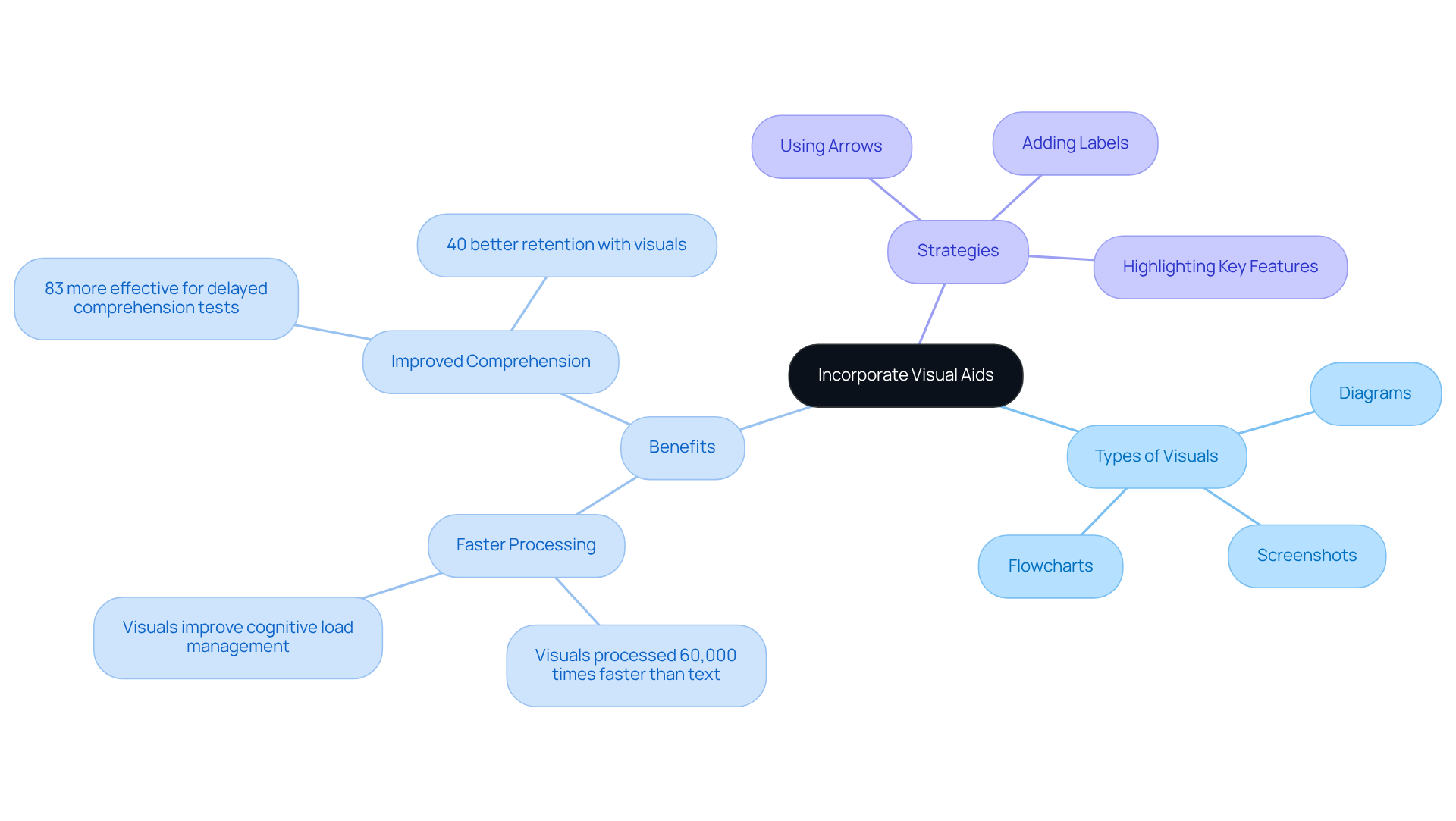
You might be wondering how to make your documentation more effective. Well, incorporating can really boost understanding! For example, when you’re outlining a , adding a screenshot for each step can make those instructions crystal clear. And don’t forget to use arrows and labels to highlight key features - this way, your but also directly relevant to what you’re saying.
Speaking of visuals, did you know that ? That’s pretty impressive! This quick processing helps folks visualize processes better and reduces cognitive load. Plus, studies indicate that for delayed comprehension tests. So, by mixing these elements together, you can create guides that not only share information effectively but also make learning a lot more engaging.
Now, let’s dive into how you can strategically combine these visuals with your text to !
Review and Test Your User Manual
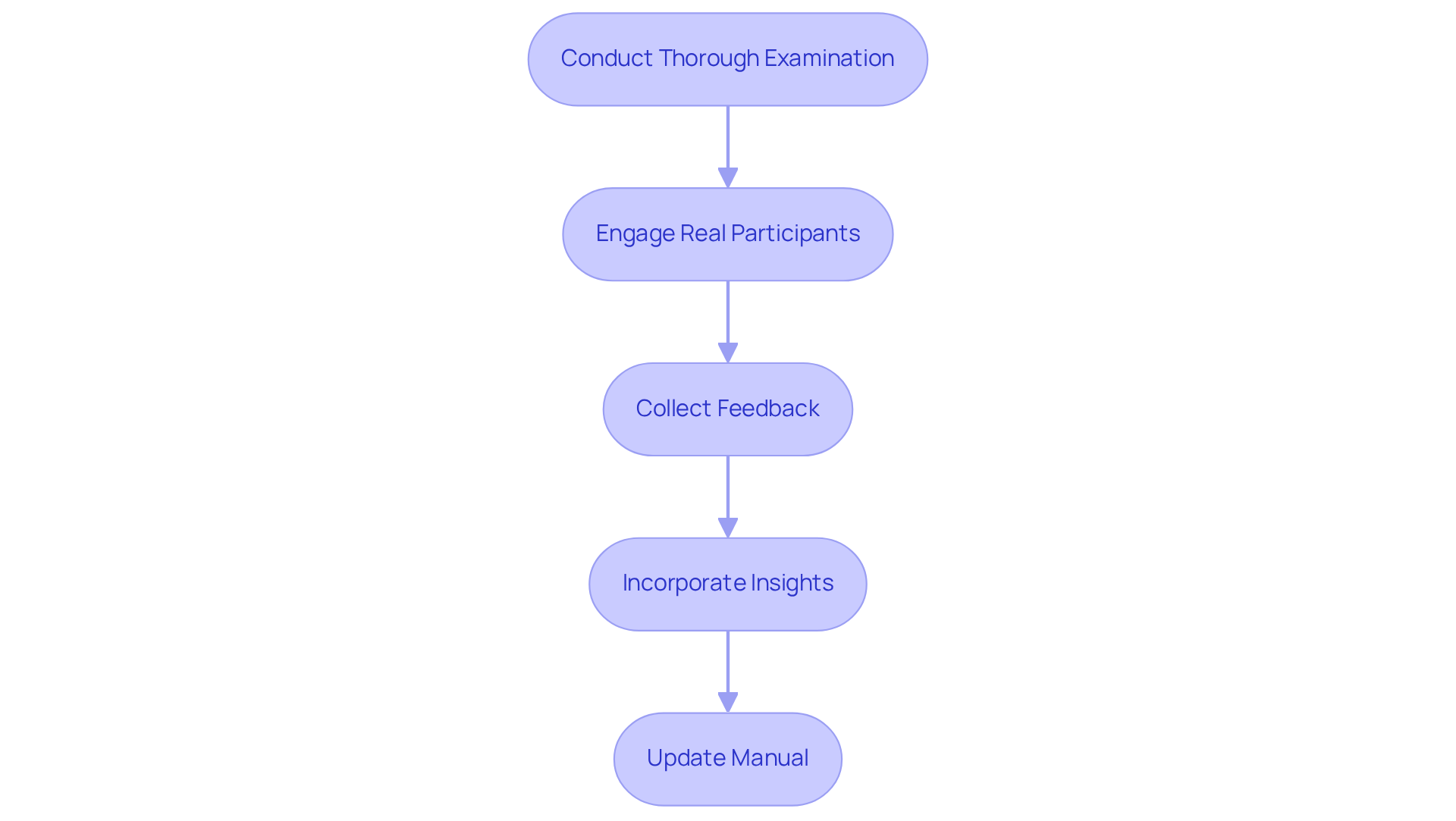
You might be wondering why it’s so important to really dig into your guide. Well, conducting a thorough examination is key to making sure it works effectively! Engaging real participants to test it out can give you some into how clear and usable it really is. Encourage them to follow the instructions and jot down any bumps they hit along the way. This feedback is super important - studies show that when you incorporate insights from real users, it can really , leading to a better experience for everyone involved.
For instance, organizations that prioritize often see a noticeable increase in . That’s a clear win for having straightforward guides! And speaking of keeping things relevant, with , you can quickly update and tweak your documents to keep them fresh in our ever-changing business world.
Oh, and don’t forget about the little things! Make sure your manual is free of grammatical errors and inconsistencies. Those can really take away from its professionalism and effectiveness. As usability expert Jon Bolt points out, the best products focus on clarity rather than just features. This really drives home the importance of when writing a .
By using SowFlow’s tools, writing a allows you to tap into the wisdom of your documentation and . This not only but also makes everyone’s life a bit easier!
Conclusion
You might be wondering how to craft a user manual that really boosts efficiency. Well, it’s a vital task that deserves some careful thought! The heart of an effective user manual is its knack for clearly communicating instructions while meeting the specific needs of its audience. By honing in on:
- Purpose
- Audience
- Content organization
- Clarity in instructions
- Visual aids
- Thorough testing
you can create a manual that not only improves user experience but also ramps up operational efficiency.
Throughout this article, we’ve highlighted the importance of defining your manual's purpose. Think of it as your guiding star! When you understand your audience, you can tailor your content to resonate with them. Organized sections and concise instructions make information easy to find, while visual aids can turn complex processes into something much more digestible. Plus, user testing? That’s your golden ticket to getting critical feedback for continuous improvement.
So, let’s not underestimate the power of a well-crafted user manual. It’s not just about helping users navigate products confidently; it also lightens the load for customer support teams. By following the steps we’ve discussed, you can create manuals that inform and engage, leading to happier users and smoother operations. Embracing these best practices in user manual creation is key for any business looking to enhance user experience and streamline their processes. Now, how about diving into your own documentation challenges?
Frequently Asked Questions
What is the purpose of defining a clear purpose for a user manual?
Defining a clear purpose for a user manual helps to identify specific issues the guide aims to tackle, such as assisting users with installation, setup, and troubleshooting. A concise purpose statement enhances the guide's effectiveness and makes it easier for users to navigate the information.
How does a well-defined purpose benefit users?
A well-defined purpose reduces frustration and confusion for users, leading to a more satisfying experience. It also empowers users to troubleshoot on their own, which can decrease customer support inquiries.
Why is it important to identify the target audience when writing a user manual?
Identifying the target audience is crucial because it helps tailor the writing style and complexity of the instructions based on factors like age, technical know-how, and familiarity with the product. This ensures the manual meets the specific needs of different user groups.
What are audience personas and how do they help in writing a user manual?
Audience personas are detailed profiles that represent different segments of the target audience. They help writers understand the audience's goals, motivations, and pain points, allowing for content that connects better with users and addresses their unique challenges.
How can SowFlow's documentation solutions assist in creating user manuals?
SowFlow's instant documentation solution allows users to create and update guides quickly with just a single command, ensuring that documentation remains relevant and efficient in addressing user needs. It simplifies the process of maintaining up-to-date records and reduces the need for unnecessary meetings.
List of Sources
- Define the Purpose of Your User Manual
- careerfoundry.com (https://careerfoundry.com/en/blog/ux-design/15-inspirational-ux-design-quotes-that-every-designer-should-read)
- bloomberg.com (https://bloomberg.com/news/newsletters/2024-01-16/worker-user-manuals-could-help-boost-team-success)
- sonat.com (https://sonat.com/@sonat/articles/importance-of-user-manuals-in-product-understanding)
- Case studies (https://hansem.com/case_studies)
- Identify Your Target Audience
- Target Audience Analysis: Step-by-Step Guide for 2026 (+Examples) | Brand24 (https://brand24.com/blog/target-audience-analysis)
- webgamma.ca (https://webgamma.ca/how-to-create-user-personas-step-by-step-guide)
- nngroup.com (https://nngroup.com/articles/persona)
- 30 Expert Quotes on Content Strategy for Digital Products (https://blog.tubikstudio.com/30-expert-quotes-on-content-strategy-for-digital-products)
- veracontent.com (https://veracontent.com/mix/knowing-your-audience-great-marketing)
- Organize Content for Clarity and Usability
- gftinc.com (https://gftinc.com/blog/crafting-effective-technical-manuals-best-practices-for-clarity-and-usability)
- How to Organize Information in a User Manual for Maximum Clarity (https://ask.com/news/organize-information-user-manual-maximum-clarity)
- 10 UX Design Quotes That Redefine Usability (https://arounda.agency/blog/10-ux-design-quotes-that-redefine-usability)
- Communispond reduced manual processes by 80% with a training management system (https://arlo.co/case_studies/communispond-reduced-manual-processes-by-80-with-a-training-management-system)
- Write Clear and Concise Instructions
- goodreads.com (https://goodreads.com/quotes/tag/technical-writing)
- Top 17 Quotes on User Experience and UX Design (https://medium.com/@userguiding/top-17-quotes-on-user-experience-and-ux-design-b39e615e8db1)
- 10 UX Design Quotes That Redefine Usability (https://arounda.agency/blog/10-ux-design-quotes-that-redefine-usability)
- 7.7 Writing Instructions – Technical Writing Essentials (https://pressbooks.bccampus.ca/technicalwriting/chapter/writinginstructions)
- proofed.com (https://proofed.com/writing-tips/5-top-tips-for-writing-clear-instructions)
- Incorporate Visual Aids for Enhanced Understanding
- Studies Confirm the Power of Visuals to Engage Your Audience in eLearning (https://shiftelearning.com/blog/bid/350326/studies-confirm-the-power-of-visuals-in-elearning)
- Exploring Visual Learning Animations Statistics (https://educationalvoice.co.uk/visual-learning-animations-statistics)
- 20 Data Visualization Quotes by Industry Experts (https://coresignal.com/blog/data-visualization-quotes)
- Top Visual Learning Facts and Statistics for 2024 (https://wp-tonic.com/top-visual-learning-facts-and-statistics-for-2024)
- Review and Test Your User Manual
- usersnap.com (https://usersnap.com/blog/customer-feedback-analysis-guide)
- 20 User Research and UX Quotes to Inspire You | User testing and UX research platform (https://sharewell.eu/20-user-research-and-ux-quotes-to-inspire-you)
- 26 powerful quotes about feedback (https://netigate.net/articles/surveys/quotes-about-feedback)
- Manual Testing Explained—What Is It and Why Is It Important? (https://testdevlab.com/blog/manual-testing)
- Latest Software Testing Statistics (2026 Edition) (https://testgrid.io/blog/software-testing-statistics)
👍
What others are liking


5 Steps to outline your ideal documentation structure
5 MINS READ
Where to start the your journey of mapping out your ideal documentation structure, aligning it with the very heartbeat of your organization?
Defining a winning level of detail in your process
3 MINS READ
What is too much detail, and what is too little? This article described in that winning level detail about what detail is enough.


