

Knowledge Management through Documentation
|
April 29, 2026
|

7 Best SOP Creation Software Tools for Operations Managers
Key Highlights
- SowFlow simplifies SOP creation with an intuitive manual system and a user-friendly Chrome extension, enhancing record-keeping and productivity.
- Effective SOPs can boost employee productivity by over 200%, emphasising the importance of streamlined processes.
- Whale offers comprehensive SOP management with AI-supported record-keeping, multimedia integration, and a user-friendly interface for better team coordination.
- Studies indicate that up to 70% of knowledge is lost within 24 hours, highlighting the need for effective SOP management.
- Process Street provides user-friendly workflow automation, enabling teams to create and manage SOPs using checklists and automation capabilities.
- Document360 is tailored for technical teams, featuring robust version control and analytics to enhance documentation accuracy and collaboration.
- Scribe allows for quick SOP creation by capturing workflows in real-time, making it ideal for onboarding and standardising procedures.
- Tango enables real-time process documentation, significantly reducing time spent searching for documents and improving data quality.
- Tallyfy focuses on process management and optimization, offering analytics to identify bottlenecks and enhance operational effectiveness.
Introduction
In the fast-paced world of operations management, you might be wondering how the efficiency of Standard Operating Procedures (SOPs) can truly impact your team's success. As organizations like yours strive for streamlined processes and improved productivity, finding the right SOP creation software becomes essential.
This article dives into seven standout tools that are designed to empower operations managers just like you. Each tool offers unique features that simplify the creation and management of SOPs. But with so many options out there, how do you figure out which one really meets your needs and maximizes your team's potential?
Let's explore together!
SowFlow: Instant SOP Creation and Process Standardization
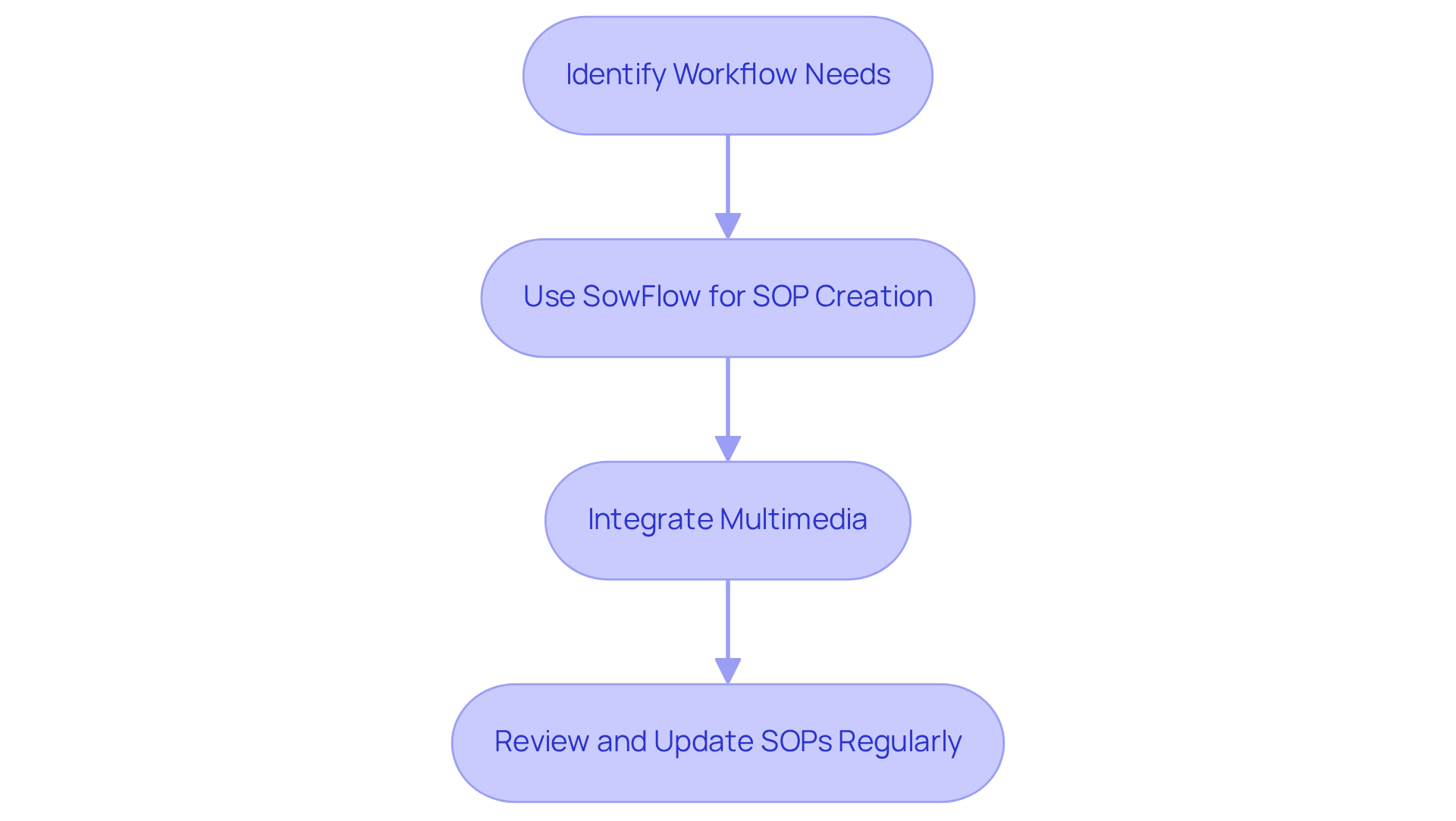
You might be wondering how to effectively streamline your and . Well, let me introduce you to SowFlow, a fantastic solution that makes this process a breeze! Its intuitive manual system helps teams without breaking a sweat.
Now, here’s where it gets even better: SowFlow comes with a and multimedia integration. This means you can simplify record-keeping while keeping all your information up-to-date and easily accessible. For managers aiming to , this feature is a game-changer.
By using like SowFlow, organizations can , leading to improved productivity and more structured processes. Did you know that by over 200%? That’s right! It really highlights how powerful streamlined record-keeping practices can be. And don’t forget, regularly reviewing and updating your SOPs keeps them aligned with evolving workflows, further enhancing their effectiveness. So, why not explore how ?
Whale: Best for Comprehensive SOP Management
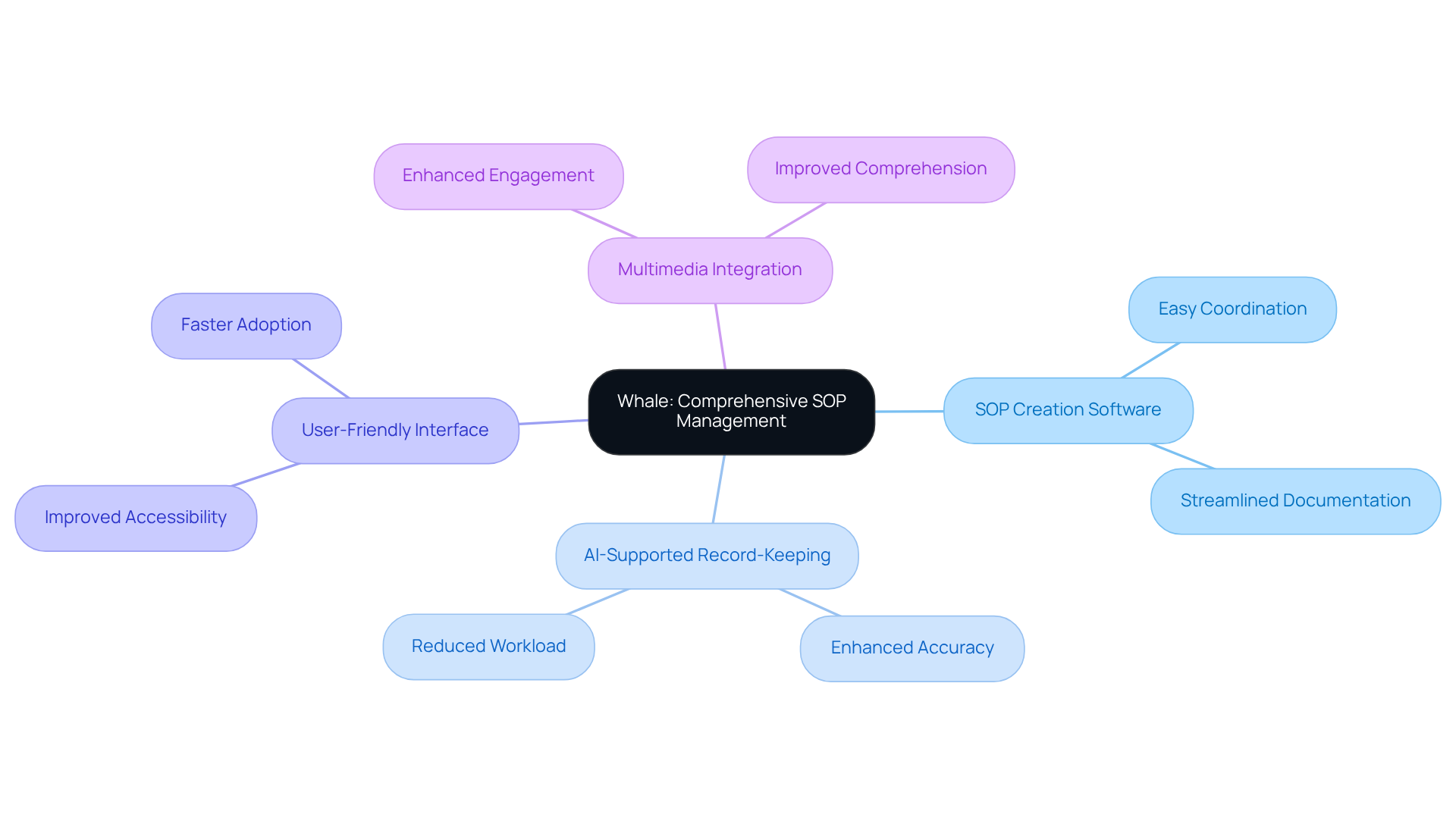
You might be wondering about the best way to manage your SOPs. Well, Whale really stands out as a leading platform for comprehensive , particularly among managers who value its innovative features such as the . The cool thing is, with , capturing and organizing SOPs becomes a breeze. Teams can record their procedures quickly and effectively, making it super easy to stay on track.
And let’s talk about the —it guarantees that everyone on the team can easily coordinate on tasks, promoting consistency throughout all activities. Plus, Whale supports , which means you can spice up your SOPs with videos and images. This not only enhances engagement but also helps with comprehension. It’s this perfect mix of functionality and ease of use that makes Whale a fantastic choice for operations managers looking to enhance their record-keeping game and through .
Now, here’s something to think about: studies show that up to 70% of knowledge is lost within just 24 hours of learning. That really highlights how crucial is, especially when utilizing SOP creation software! With the AI healthcare market projected to hit $187 billion by 2030, using tools like Whale can help organizations stay ahead of the curve. And as Craig Lee points out, simpler documentation methods can significantly lighten the clinician's workload, making it clear that is key to improving operational efficiency. So, are you ready to dive into a more effective way of managing your SOPs?
Process Street: User-Friendly Workflow Automation
You might be wondering how to make your workflow smoother and more manageable. Well, Process Street is here to help! It shines in providing user-friendly that simplifies the use of for creating and managing (SOPs). With its intuitive interface, the enables you to design workflows using to track progress and keep everything compliant.
Now, let’s dive into what makes this platform stand out. It also comes with that can kick off actions based on specific conditions, which really cuts down on the manual workload for teams. This is especially helpful for operations supervisors who juggle multiple workflows while ensuring their teams stick to established protocols. And speaking of ease, takes it a step further by offering a straightforward creation experience, allowing teams to whip up . This means you can make quick updates to keep your content fresh in today’s fast-paced business world.
With more and more people hopping on the checklist-based workflow tool bandwagon, Process Street really sets itself apart as a top choice for those looking to . Plus, SowFlow enhances this by ensuring teams have instant access to the materials they need. So, why not explore these tools and see how they can transform your documentation process?

Document360: Tailored Documentation for Technical Teams
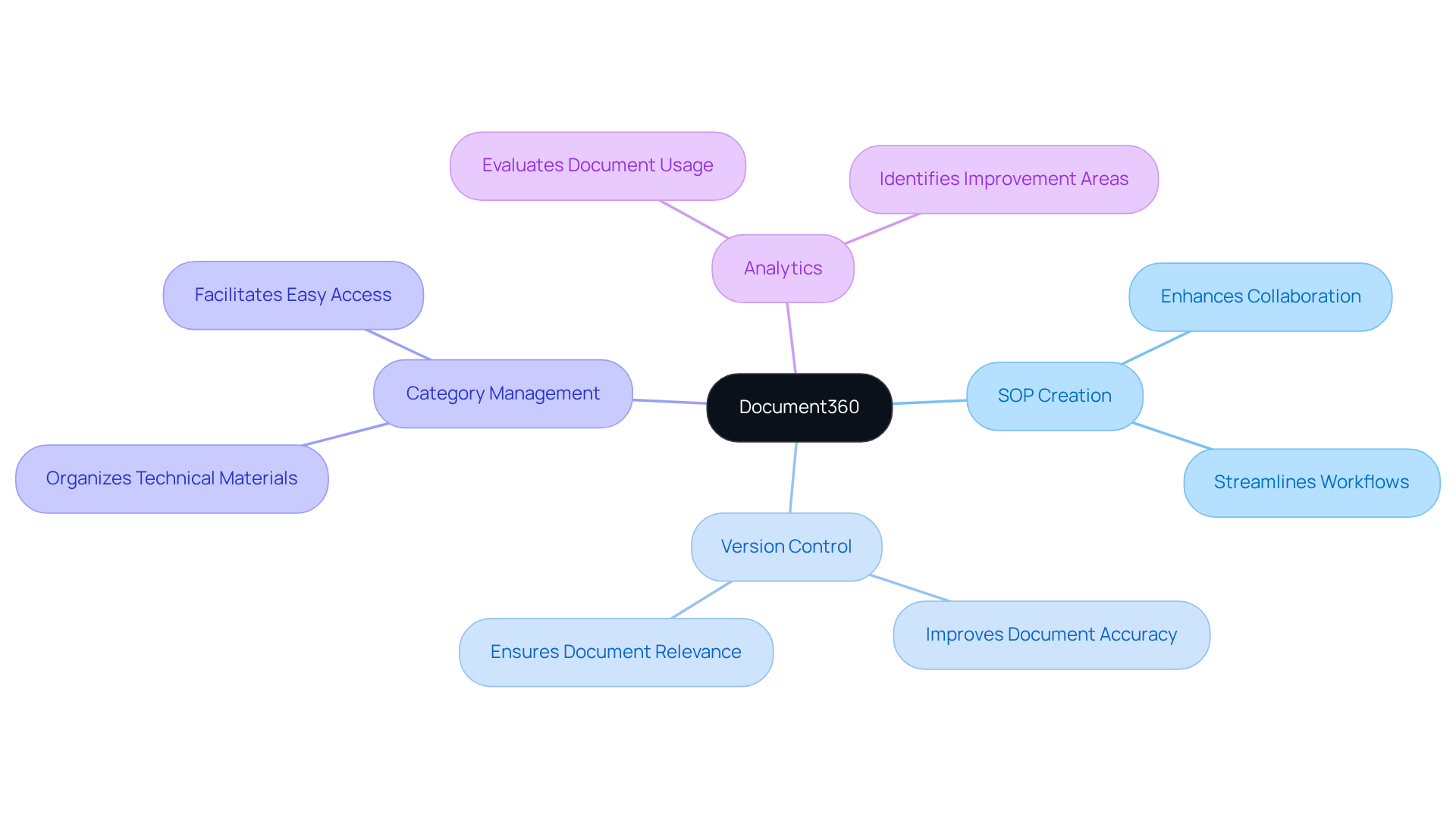
You might be wondering how Document360 can help your technical team with record-keeping. Well, it's a specialized platform that serves as for —think , user guides, and API specifications. One of its standout features? A robust version control system that ensures your documents stay accurate and relevant. And here’s a fun fact: industry insights show that can increase by over 28 percent with electronic signatures. That’s a huge efficiency boost, right?
Now, imagine being able to , making sure everyone on your team has access to the latest info. Document360 also shines with its category management and analytics features. You can easily organize your materials and evaluate how they’re being used. As organizations put more emphasis on keeping their technical records up to date, such as Document360 becomes an invaluable tool for . It not only streamlines workflows but also .
Operations managers have noticed that using Document360 doesn’t just simplify record-keeping; it also fosters a culture of continuous improvement within their teams. In today’s fast-paced business environment, having a strategic resource like this can make all the difference. So, why not explore how Document360 can transform your documentation process?
Scribe: Simple and Effective SOP Creation
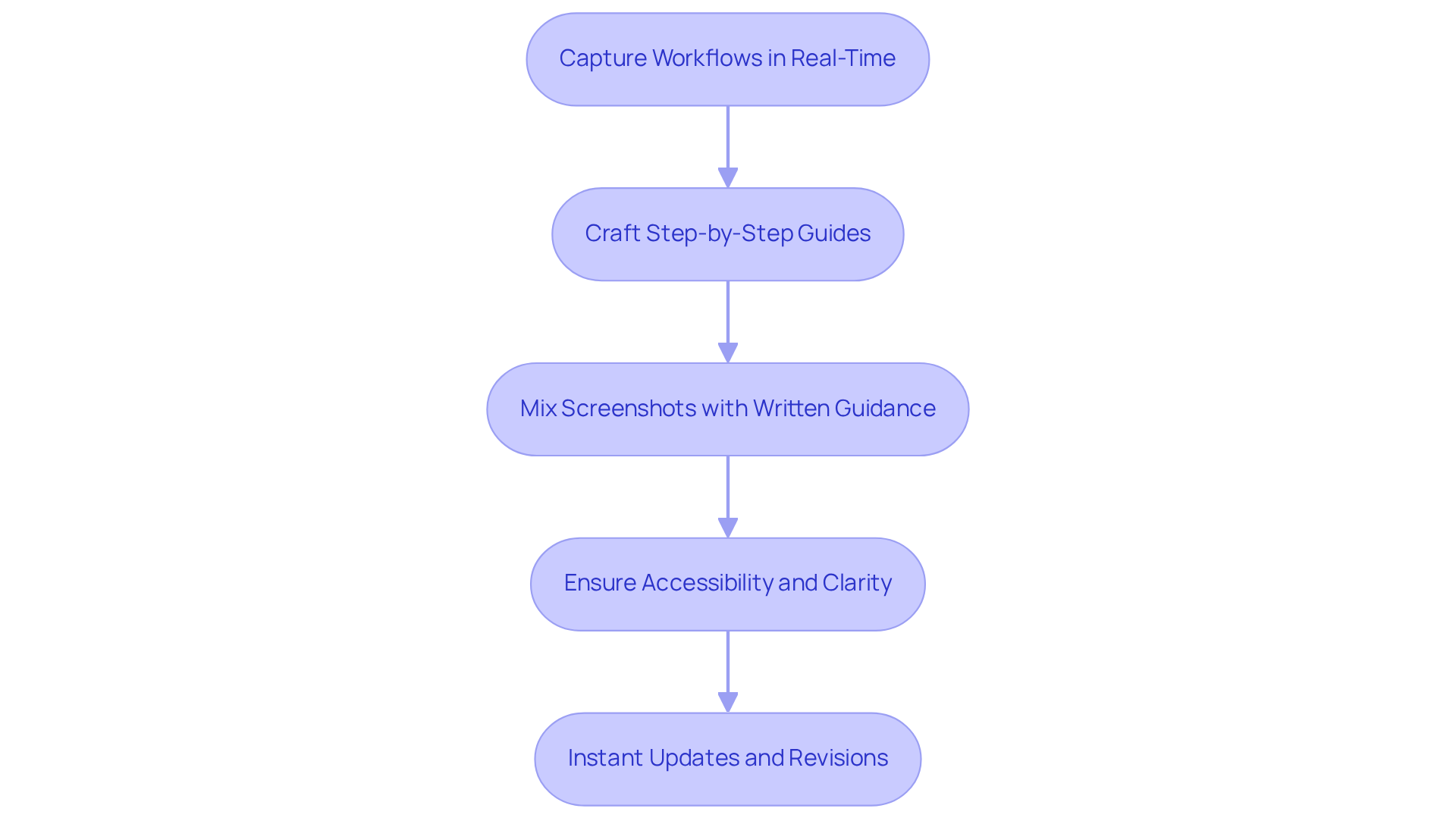
You might be wondering how can simplify the process of making . Well, Scribe is here to help! It’s a that allows you to whip up SOPs quickly and effectively. With its intuitive design, you can capture workflows in real-time, crafting step-by-step guides with hardly any effort. By mixing screenshots with written guidance, Scribe makes it super easy to record those intricate processes, so everyone can follow along without getting lost.
This simplicity is a game-changer, especially for operations managers who are or trying to standardize procedures across their teams with . Speaking of that, steps in to enhance the experience even further. It offers a seamless way to , allowing for to keep everything relevant in today’s fast-paced business world. Together, Scribe and ensure that their sop creation software makes SOPs not just easy to create but also accessible and clear, paving the way for a smoother and boosting overall . So, why not give them a try and see how they can transform your documentation process?
Tango: Real-Time Process Documentation
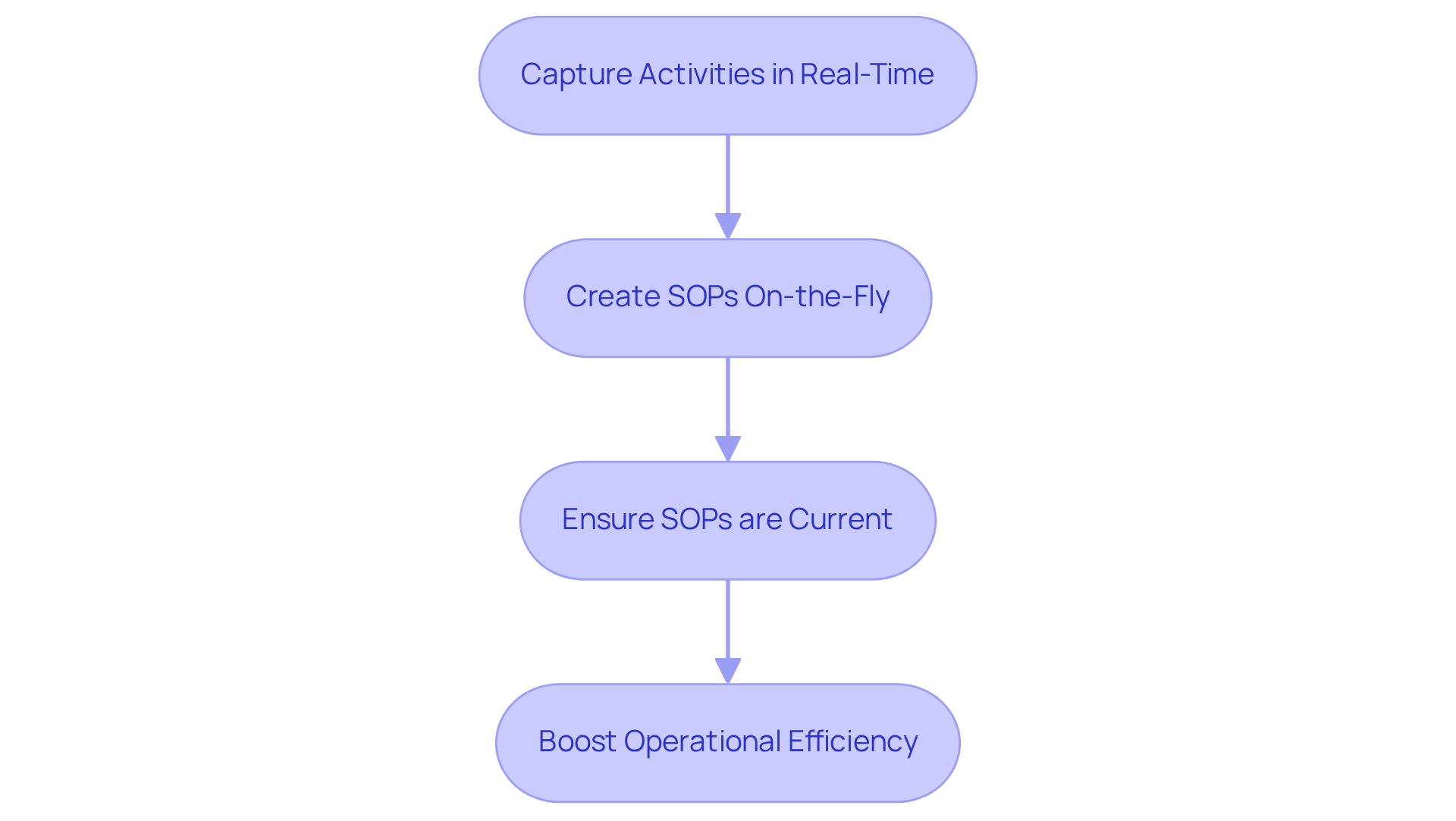
You might be wondering how Tango can change the way you handle . Well, it lets you capture activities right as they happen! This cool feature means your team can easily use to whip up without the hassle of sifting through piles of post-task records. Talk about saving time and cutting down on errors!
really get a kick out of Tango's ability to record actions and . This means your SOPs are always in sync with the latest practices. Pretty neat, right? Not only does this boost operational efficiency, but it also tackles some common headaches organizations face. Did you know that Americans spend an average of two hours a day just searching for documents? That’s a whopping 25% of a 40-hour work week!
And it gets better—91% of organizations report that slow them down, highlighting the need for accurate and timely . By using the [SOP creation software](https://sowflow.io) Tango, you can level up your , leading to better productivity and a quicker response to whatever business challenges come your way. So, why not explore how Tango can make your life easier?
Tallyfy: Process Management and Optimization
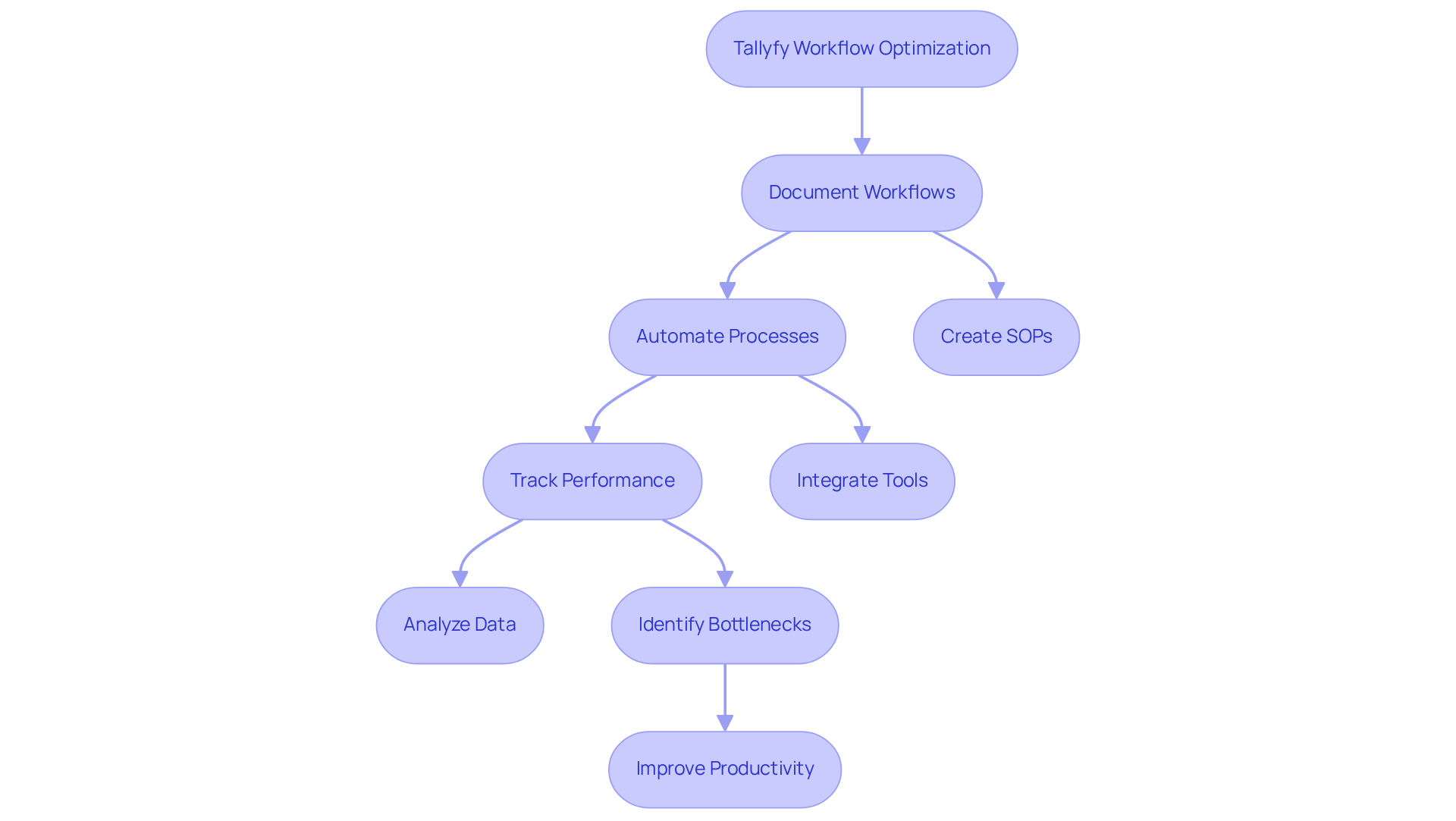
You might be wondering how to make your . Well, Tallyfy is here to help! This platform really shines when it comes to management and optimization. It allows you to like a pro. Plus, its intuitive interface makes the use of for creating and managing a breeze.
Now, let’s talk about the cool analytics features. Tallyfy provides , helping you spot those pesky bottlenecks that slow things down. With current trends leaning heavily on , Tallyfy is becoming a must-have for organizations looking to . Imagine being able to elevate your team’s performance and operational effectiveness just by optimizing your workflows with Tallyfy. Sounds great, right?
Conclusion
You might be wondering how the right SOP creation software tools can really make a difference. Well, operations managers can boost their efficiency and productivity significantly by using the right platforms. This article shines a light on some of the top contenders like SowFlow, Whale, Process Street, Document360, Scribe, Tango, and Tallyfy. Each of these tools comes with unique features designed to streamline the creation and management of standard operating procedures.
Let’s break it down a bit. Tools like SowFlow and Whale offer intuitive interfaces and multimedia integration, making it a breeze for teams to collaborate and keep their documentation fresh. On the other hand, Process Street and Tallyfy focus on workflow automation and analytics, which helps managers optimize processes and spot bottlenecks. And if you’re into technical documentation, Document360 and Scribe have you covered with their emphasis on accuracy and accessibility.
In today’s fast-paced business world, we can’t underestimate the importance of efficient SOP management. Organizations that embrace these innovative tools are not just improving their documentation practices; they’re also nurturing a culture of continuous improvement. By adopting such technologies, you can expect to see enhanced operational efficiency, less knowledge loss, and a more agile, responsive organization. So, why not explore these software solutions? It’s a proactive step toward transforming how your team works together and achieves its goals.
Frequently Asked Questions
What is SowFlow and how does it help with SOP creation?
SowFlow is a software solution designed to streamline the creation of Standard Operating Procedures (SOPs). It features an intuitive manual system that helps teams convert complex workflows into simple, step-by-step instructions easily.
What are the key features of SowFlow?
Key features of SowFlow include a user-friendly Chrome extension, multimedia integration for record-keeping, and the ability to keep information up-to-date and easily accessible.
How does SowFlow impact productivity?
By using SowFlow for SOP creation, organizations can reduce the time spent on record-keeping tasks, leading to improved productivity and more structured processes. Effective SOPs can boost employee productivity by over 200%.
Why is it important to regularly review and update SOPs?
Regularly reviewing and updating SOPs ensures they remain aligned with evolving workflows, which enhances their effectiveness.
What is Whale and what makes it a strong choice for SOP management?
Whale is a leading platform for comprehensive SOP management, particularly favored by managers for its innovative features, including AI-supported record-keeping that simplifies capturing and organizing SOPs.
What features does Whale offer to enhance SOP management?
Whale offers a user-friendly interface, multimedia integration for adding videos and images to SOPs, and tools that promote team coordination and consistency in tasks.
Why is effective SOP management crucial?
Effective SOP management is crucial because studies show that up to 70% of knowledge can be lost within just 24 hours of learning. Utilizing SOP creation software helps retain knowledge and improves operational efficiency.
How does AI support improve the SOP documentation process?
AI-supported documentation simplifies the recording and organizing of SOPs, making it easier for teams to stay on track and enhancing overall collaboration.
What is the projected growth of the AI healthcare market?
The AI healthcare market is projected to reach $187 billion by 2030, highlighting the importance of using tools like Whale to stay ahead in effective SOP management.
👍
What others are liking


5 Steps to outline your ideal documentation structure
5 MINS READ
Where to start the your journey of mapping out your ideal documentation structure, aligning it with the very heartbeat of your organization?
Defining a winning level of detail in your process
3 MINS READ
What is too much detail, and what is too little? This article described in that winning level detail about what detail is enough.


